

Android 16 opens notification summaries to other manufacturers
After an initial rollout exclusively for Pixel devices, Google officially begins to open one of the most practical new features of Android 16: AI-powered notification summaries.
Samsung, OnePlus, Xiaomi, Nothing, and other manufacturers can now integrate this functionality into their devices.
This is a strategic evolution: Google aims to make AI genuinely useful in daily life without resorting to the automatic summarization of everything, as iOS sometimes does.
In this case, there’s no fanciful rephrasing of news or important emails; the AI focuses solely on messaging applications.
AI summarizes your conversations while staying within its scope
In contrast to Apple, which tries to summarize almost everything in iOS, Google opts for a cautious approach:
- Only discussions (SMS, RCS, messaging) are affected
- The AI simply transforms an overly long thread into useful, readable information in one second
- It also condenses group conversations
There’s no attempt to interpret an article, a promo, or a work email—a choice that should reassure those wary of unreliable summaries.
A new notification organizer to bring order
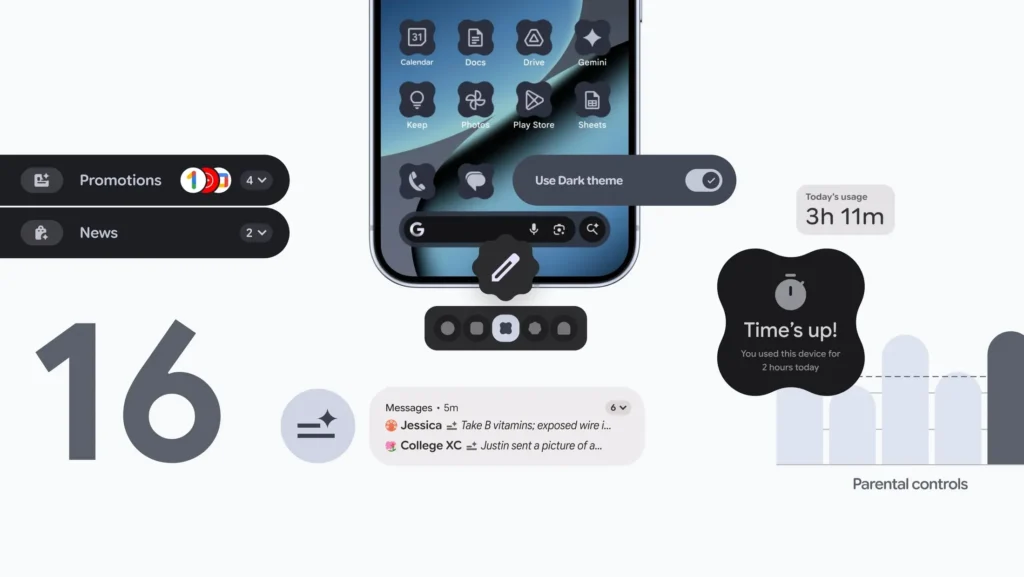
In addition, Android 16 incorporates a Notification Organizer, a kind of intelligent concierge that automatically sorts less important alerts (promotions, news, social media), silencing them by default, while highlighting priority messages.
The goal is to transform the usual chaos of Android notifications into something manageable, without the user having to manually adjust 70 settings.
Personalization: custom icons and universal dark mode
Google continues its approach of “Android as a personal canvas” with three new features:
- Native custom icons: For the first time, changing icon shapes no longer requires a launcher.
- Automatic themes across all apps: Even apps that do not support Material You will now adopt the chosen theme.
- A “super” dark mode that forces light apps to darken: Say goodbye to harsh white flashes in incompatible apps.

Unified parental controls
Google has finally consolidated all parental settings directly in Settings > Parental Controls:
- Screen time limits
- Rest periods
- App restrictions
- Usage management
No more juggling between Family Link and the main menu; everything is centralized.
A more useful, readable, and intelligent Android 16
Google is no longer piling on features for the sake of it; the company seeks to address genuine everyday frustrations. Android continues its evolution into a fluid, customizable, and directly useful platform, moving away from the era when major annual updates were the only signs of progress.



