

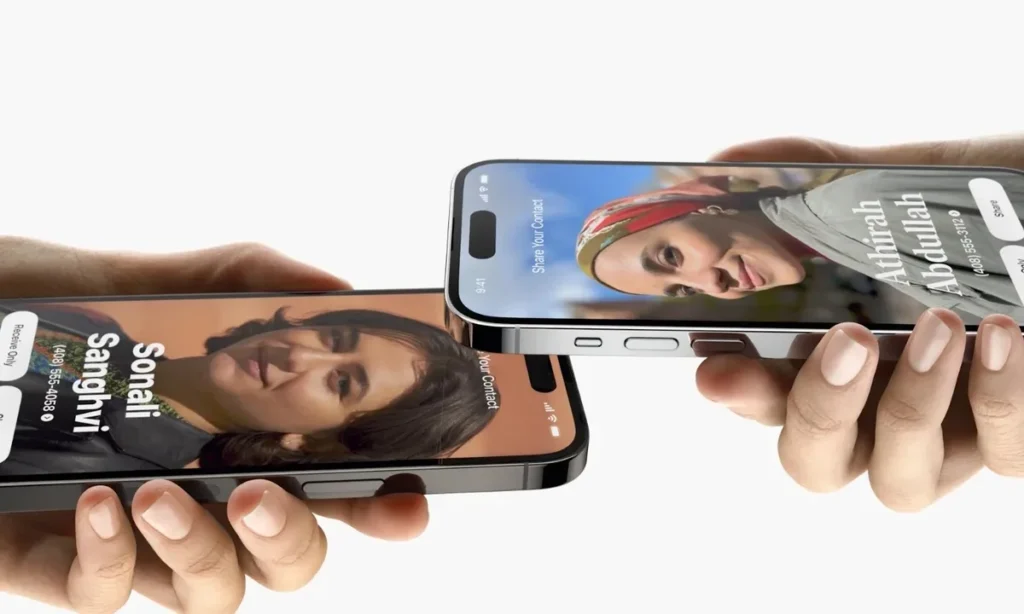
Android 17 Introduces Its Ultra-Simple ‘Airdrop’ With Tap to Share
For a long time, Android has excelled in flexibility but hasn’t always managed to translate that freedom into simplicity. File sharing is one of the best examples: Quick Share exists, often works well, but still retains a bit of friction that Apple’s ecosystem has managed to eliminate with AirDrop.
Google and Samsung seem ready to address this with a new feature called ‘Tap to Share’, which would allow users to bring two phones together to initiate a file or contact exchange.
In essence, there will be fewer menus, less searching for devices, and a smoother experience.
A feature that appears everywhere, enhancing its credibility
What makes this leak particularly interesting is not just its existence, but its repetition. Android Authority reports having found traces of this functionality in three different locations: within One UI 9 builds, in Google Play Services, and even within the system files of Android 17. When a project begins to emerge simultaneously at this level in the software stack, it is increasingly unlikely to be merely a localized experiment.
In One UI 9, the feature reportedly has its own name and description. The text mentioned by Android Authority instructs users to hold the top of their phone near another device to send files.

First contacts exchange, then a broader sharing system
This project doesn’t come out of nowhere. Back in November 2025, Android Authority had already spotted an internal feature named ‘Gesture Exchange’ within Google Play Services, designed to transfer contact information by bringing two devices closer together, akin to Apple’s NameDrop. At that time, it was mainly about sharing a profile picture, a phone number, or an email address.
The new development now is that the name Gesture Exchange also reappears in the Quick Share application of One UI 9. Android Authority deduces that the contact exchange tool has now evolved into a broader file transfer system.
NFC to initiate, Quick Share to carry
The available clues suggest a quite logical mechanism. The references found in Android 17 mention a system service called ‘TapToShare’. Several instances suggest that NFC would likely be used to wake or authenticate the initial gesture, before Quick Share takes over for the actual data transfer. This architecture seems plausible, as it combines the simplicity of physical proximity with the speed of a more conventional wireless exchange for larger files.
The most important detail: it won’t be limited to Samsung
This is likely where the topic becomes truly strategic. Because the project’s traces appear in Google Play Services and within Android 17 itself, the feature seems designed to exceed just the Galaxy range. SamMobile also notes that finding references in Android 17 suggests a platform-wide deployment, potentially accessible to a wide array of Android brands, not just Samsung or Pixel.
If this is confirmed, Google would address one of Android’s longstanding weaknesses: the impression that file sharing still often depends too much on the brand, implementation, or installed application. While an iPhone user instinctively knows that AirDrop will work with another iPhone, Android could finally approach that same level of intuitiveness.
The timing remains uncertain, but several specialized sources agree on a possible arrival alongside or shortly after Android 17. Android Authority doesn’t provide a firm date, while others like SammyGuru or Dataconomy suggest that the most logical launch would coincide with the stable release of Android 17. Samsung could be among the first to activate it, given the visible advancement in One UI 9. However, caution is warranted: features seen in development builds can still be renamed, delayed, or abandoned.
Android isn’t just copying AirDrop; it’s finally addressing a historical friction
The most interesting aspect of this situation isn’t that Google and Samsung are drawing inspiration from Apple. It’s that they seem to have understood that mobile sharing should no longer be a mini-protocol to activate, but a reflex. We don’t want to “open a transfer function.” We want to bring two devices close together and feel that the system has grasped the intention. That’s precisely what Tap to Share seems to aim to provide.
Ultimately, Android has never really lacked solutions for sharing. What it has missed is a solution that feels natural. If Tap to Share arrives as expected, Google may finally deliver one of the simplest—and most intuitive—experiences in the entire mobile ecosystem.



