

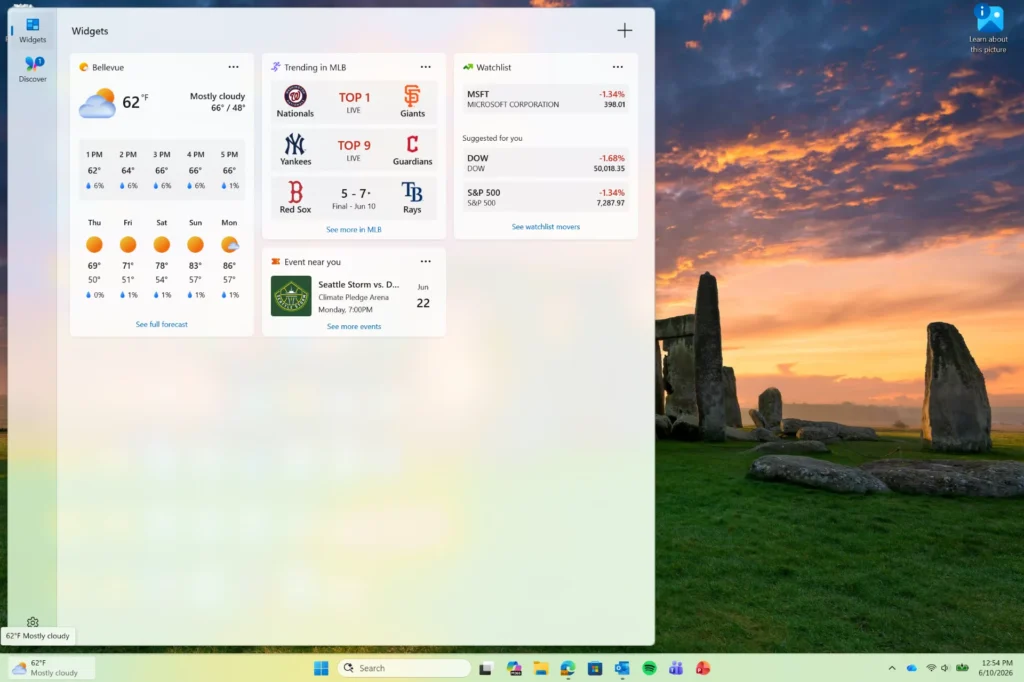
Windows 11 Reduces Widget Notifications for a Calmer Experience
Since their introduction with Windows 11 in 2021, Widgets haven’t quite won over users. Designed as a centralized space for weather, news, sports scores, and personalized information, they’ve largely become a source of constant distractions for many.
With omnipresent red badges, repetitive alerts, and the panel opening automatically at the slightest mouse movement, the feature quickly became perceived as more intrusive than useful.
Microsoft seems to have finally acknowledged this. With a new beta version of Windows 11, the company is undertaking a subtle yet significant redesign of Widgets, adopting a principle encapsulated by a few words: more calm, less noise.
A “Silent by Default” Experience
The most notable change in this update lies in what Microsoft has chosen to disable. The company is removing several behaviors that users frequently criticized:
- Disabling the automatic opening of the panel on mouse hover.
- Removing persistent badges on the taskbar.
- Reducing the number of daily alerts.
- Displaying notifications only when the user chooses to check the Widgets.
The goal is clear: to ensure that the feature stops constantly demanding the user’s attention.
This new approach contrasts with the original philosophy of Widgets, which largely revolved around constant engagement and frequent interactions.
A Simplified Lock Screen
Microsoft is also applying this new strategy to the lock screen. By default, only the weather widget will be visible. Other information typically displayed in multiple cards will disappear from the standard experience. This simplification aims to reduce the visual overload that characterized some setups, where multiple information panels simultaneously attempted to draw attention without providing immediate value.
The outcome should offer a cleaner and more legible interface right upon booting up the PC.
Less Alarming Badges
Even for users who want to keep notifications, they’ll benefit from a subtle yet telling change. Previously, Widget badges were generally red, a color often associated with urgency or warnings. With this update, Microsoft is taking a more discreet approach by aligning badge colors with the user’s chosen Windows theme.
A seemingly minor detail, but one that illustrates a significant shift in how interfaces seek to communicate with their users.
Microsoft Introduces Intelligent Attention Management
One of the most intriguing aspects of this update is the introduction of an automatic adaptation mechanism. Windows will now analyze the actual usage of the Widgets. The more a user ignores the feature, the more the system will gradually reduce related notifications and solicitations. In other words, Windows will learn to become less intrusive when Widgets fail to pique interest.
This approach reflects a broader trend in the software industry, which is beginning to pay more attention to digital fatigue and information overload.
A Quiet Acknowledgment from Microsoft
Beyond the technical improvements, this update seems almost like an implicit acknowledgment of certain design missteps. When Windows 11 introduced Widgets, Microsoft aimed to create a personalized information space capable of keeping users engaged throughout the day. In practice, many perceived the feature primarily as a constant stream of distractions.
The automatic opening of the panel, repeated notifications, and visual badges often gave the impression that the system was trying to grab attention rather than provide useful information.
The new approach appears to address these very issues.
An Evolution Beyond Widgets
This decision aligns with a broader transformation in digital interfaces. After several years of platforms trying to maximize engagement at all costs, many companies are reevaluating their approach. Users are now demanding calmer, more predictable experiences that rely less on constant attention-grabbing mechanisms.
With this new beta version of Windows 11, Microsoft seems to recognize that the best feature isn’t always the one that draws the most attention, but sometimes the one that knows how to remain discreet until the moment it is truly needed.
For many Windows users, this could be one of the best improvements to Widgets since their inception.



