

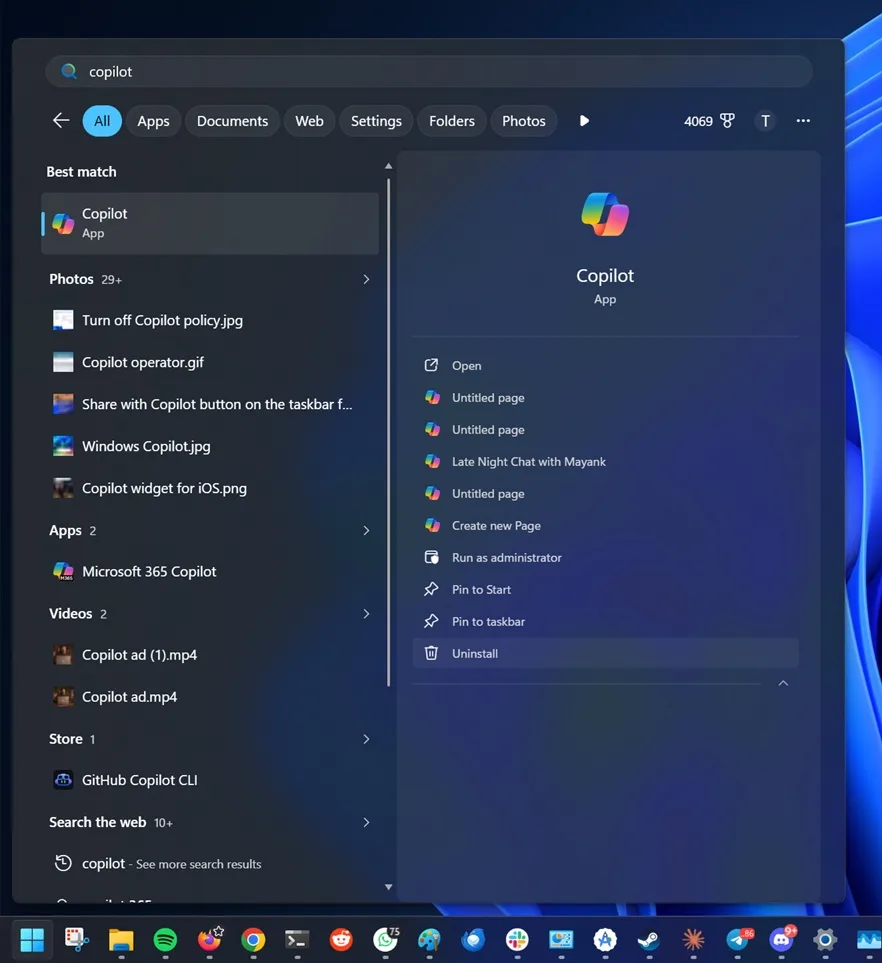
Windows 11: Microsoft adds uninstall option for Copilot
After months of criticism regarding the forced integration of AI into Windows 11, Microsoft appears to be slightly altering its strategy. The company is now introducing a much stricter method for removing Copilot from the system—a subtle change, but one that reflects the increasing pressure from users and businesses.
According to findings from Windows Latest, the April 2026 update for Windows 11 adds a new group policy that allows complete removal of the Microsoft Copilot app across an organization’s network.
A Hidden but Strategic Option
The new policy is located under: User Configuration > Administrative Templates > Windows Components > Windows AI. It is explicitly named: “Remove Microsoft Copilot app”.
Until now, Copilot could be uninstalled like any other app from the Start menu or Windows settings. However, the issue was that the AI assistant tended to reappear after certain system updates or during new installations of Windows 11.
This quickly became problematic for IT administrators. In professional environments managing hundreds—or even thousands—of machines, the need to manually remove Copilot after each update cycle was an unnecessary burden.
With this new policy, Microsoft finally provides a persistent solution to automatically block or remove Copilot across all organization devices.
Microsoft Subtly Acknowledges AI Fatigue
Beyond the technical aspect, this decision reveals something deeper about Microsoft’s current strategy. For the past two years, the company has pushed Copilot into various platforms: Windows 11, Microsoft 365, Edge, Bing, GitHub, and now the AI PC ecosystem. The objective is clear: to make artificial intelligence a core layer of the modern computing experience.
However, public reception has been far more mixed than expected.
Many users criticize Microsoft for the perceived intrusive integration of Copilot; concerns about privacy; occasional resource consumption issues; and above all, the feeling that certain AI features are imposed rather than chosen.
The fact that Microsoft is now adding an official option to permanently disable Copilot indicates that the company is beginning to recognize a crucial point: AI adoption cannot rely solely on forced integration.
Microsoft 365 Copilot May Also Be Affected
Initial reports also indicate that this policy might apply to certain integrations of Microsoft 365 Copilot. In other words, Microsoft is not just looking to convince consumers but is also attempting to reassure businesses that are still hesitant to fully incorporate AI assistants into their daily workflows.
In sensitive sectors—finance, healthcare, administration, or defense—the issues surrounding data governance and control of AI tools become particularly critical. Providing a genuine “off” switch becomes almost essential.
Home Users Can Also Bypass Copilot
The group policy remains limited to professional editions of Windows, but home users still have alternative solutions. According to several reports, it is possible to replicate the behavior via the Windows Registry by creating a “WindowsAI” key with a value of “RemoveMicrosoftCopilotApp.”
Advanced users may also use PowerShell and AppxPackage commands to manually remove Copilot.
While these methods are less accessible, they highlight an important point: Microsoft is gradually easing its approach to AI in Windows.
A Shift in Tone Rather Than a Strategic Turn
However, it would be premature to see this as a major strategic retreat. Microsoft continues to invest heavily in AI through its partnership with OpenAI and its push into the AI PC market.
Copilot will likely remain at the heart of Windows for years to come.
Nevertheless, this new policy reflects a more subtle evolution: Microsoft seems to recognize that the future of AI on PCs will depend as much on the freedom granted to users as on technological capabilities themselves.
In an industry where every player is now trying to impose their intelligent assistant, the real luxury might soon become… the option to turn it off.



