

Chrome gets a workplace upgrade: Split View, PDF annotations, and direct saving to Drive streamline daily tasks
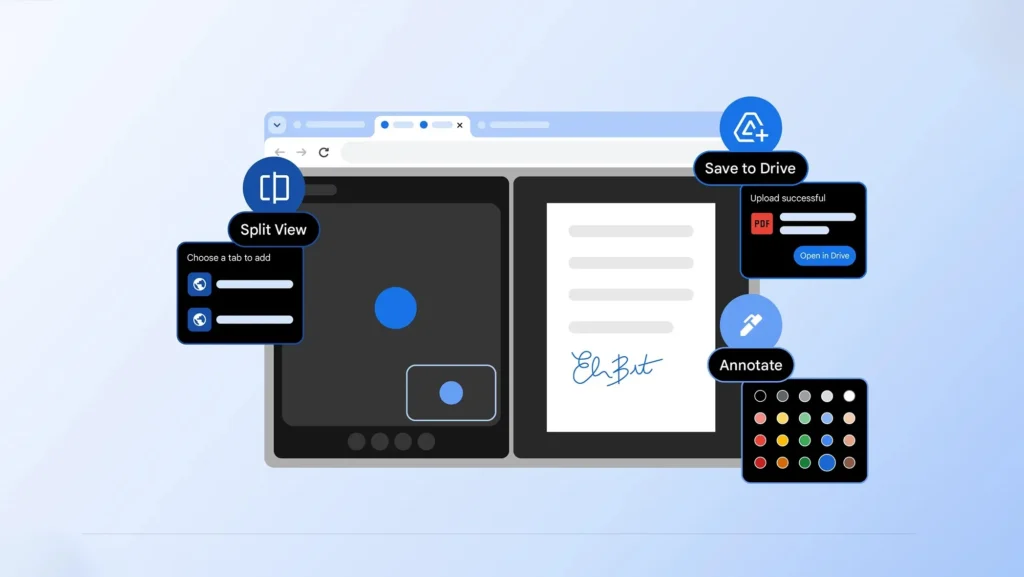
Google hasn’t hosted a keynote, launched a major campaign, or made much noise. Yet, Chrome has just introduced three features that significantly enhance productivity: Split View (side-by-side tabs), integrated PDF annotations, and a “Save to Google Drive” option for uploading files (including PDFs) without needing to download and then re-upload them.
The goal is clear: to make browsing less fragmented and more streamlined.
Split View: Chrome evolves beyond being just a browser
The standout feature of this update is Split View. In practical terms, Chrome can now display two tabs in a single window side by side. It’s a feature that seems obvious… until you realize that millions of users still struggle with two windows, Alt-Tab, or browser extensions.

In real-world usage, Split View serves numerous practical purposes in Chrome:
- Compare two documents,
- Write while keeping a source open,
- Fill out a form while referencing a PDF,
- Monitor a spreadsheet while searching on a separate page.
Google’s message is subtle but clear: Chrome is no longer merely a place to “surf the Internet” — it’s where work gets done.
PDFs: Finally, a true time-saver without third-party applications
The next addition is PDF annotation directly within Chrome. The built-in PDF reader now goes beyond merely displaying documents; it allows users to highlight, comment, draw/annotate, and even manage some “paperwork” aspects (notes, markings, signatures depending on available capabilities).
This represents a significant shift in typical PDF workflows, which were cumbersome: download → open in another app → annotate → save → resend/re-upload.
Now, Chrome aims to consolidate all these functions within the browser, where most work already occurs.
“Save to Google Drive”: Less friction, more automation
The third enhancement is integration with Google Drive. Chrome now includes a “Save to Google Drive” option, allowing users to send documents (with a specific focus on PDFs through the viewer) to Google Drive without leaving the tab. It may seem like a minor detail, but it eliminates a repetitive and mentally taxing back-and-forth that occurs dozens of times a week.
This change also addresses a historical challenge: previously, “Save to Drive” often required extensions or makeshift habits. Google is transforming this reflex into a native function — which is crucial in business and education, where tools need to “just work.”
Chrome prepares for the era of “browser-OSs”
On their own, these additions may seem minor. However, together they illustrate a broader strategy: Google aims for Chrome to become a production hub, rather than just a browsing tool. The timing isn’t coincidental: the browser market is becoming competitive again, driven by the rise of “AI-first” experiences and interfaces that seek to replace the traditional browser + office suite.
Ultimately, Google bets on a fundamental truth: for many users, the real operating system is already Chrome. The rest (Drive, Docs, PDF, screenshots, collaboration) is just a logical extension.



