

Everything You Need to Know About Notion: The Complete Guide to the All-in-One Tool
Notion is an online productivity tool that has quickly become a go-to reference in its category. Originally designed to help users organize their ideas, tasks, and work in a simple and efficient manner, it has undergone significant changes in recent years.
Where Notion was once just a space for notes and collaborative databases, the application has evolved into a complete all-in-one work suite, now powered by artificial intelligence.
With Notion, you can still create pages, databases, task lists, and much more while collaborating with others in real-time. However, the tool now features AI agents that can perform tasks on your behalf, alongside a messaging client, a calendar, forms, and even a website builder.
This article outlines what Notion is truly about as of 2026.
What Exactly Is Notion?
The main strength of Notion lies in its flexibility. It can be used for anything: note-taking, project management, event planning, company knowledge base, editorial tracking, or lightweight CRM. The principle is built on modular bricks that can be freely assembled: pages to organize information, ideas, or tasks, and databases to structure them more complexly.
These databases can be customized according to individual needs, with multiple views (table, calendar, Kanban board, gallery, timeline), table relationships, and custom properties. This versatility is what makes the tool popular among students, freelancers, and teams.
For example, a student can create a page for each course and centralize notes, assignments, deadlines, and reminders. A freelancer can manage each project on a dedicated page, with tasks, deadlines, and time tracking. The drag-and-drop interface remains intuitive, and the search functionality has significantly improved with the advent of AI.
Notion 3.0 and AI Agents: The Major Turning Point
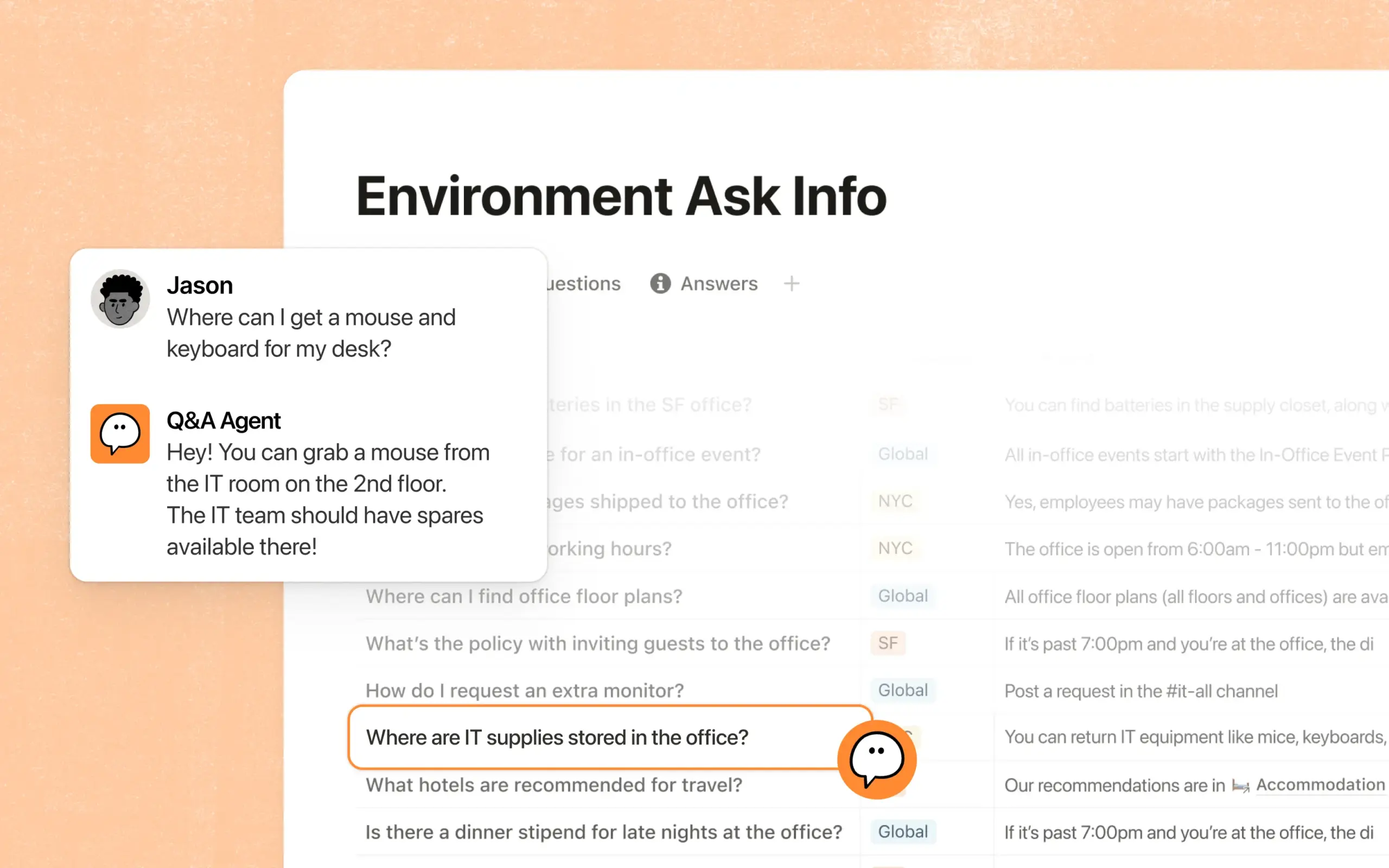
This is by far the most significant change since its launch. With Notion 3.0, launched in September 2025, the publisher completely rethought its AI in the form of agents capable of acting, rather than just responding. While Notion AI previously only answered questions or assisted in drafting a page, the new agent can now perform any human task within the tool: creating documents, building databases, updating hundreds of pages at once, and executing multi-step tasks.
Specifically, Notion’s personal agent can operate autonomously for around twenty minutes, relying on the context of your workspace and connected tools such as Slack, Google Drive, or GitHub.
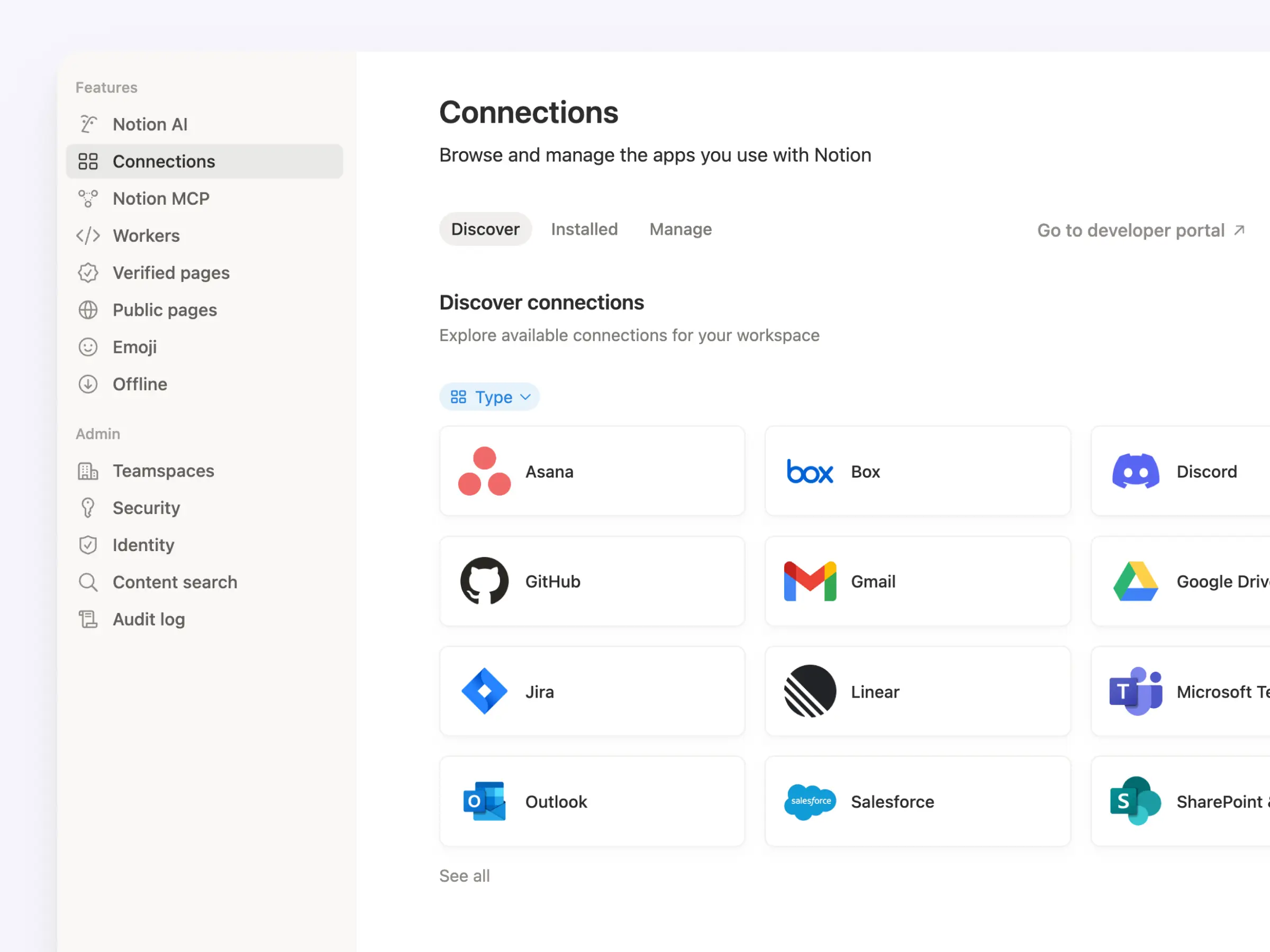
This agent has a memory system: you provide it with a page of instructions detailing your working style, writing preferences, or task organization, and it adheres to those guidelines. The more you use it, the more it personalizes itself. There’s also a “Plan” mode: before making major changes, the agent asks clarifying questions and proposes a detailed plan, reducing unexpected issues.
Since then, Notion’s AI has continuously evolved with each version:
- Custom Agents (Notion 3.3, February 2026): autonomous agents that run continuously, 24/7, based on triggers or schedules, across Notion, Slack, Mail, Calendar, and third-party integrations. They enable automation of task sorting, recurring internal queries, daily reports, or project tracking.
- Model Selection: Notion directly incorporates cutting-edge models (GPT-5, Claude, and Gemini families) at no extra charge, allowing you to choose which to assign to your agent.
- AI Meeting Notes: automatic transcription of meetings that summarizes key points, extracts actionable items, and now operates in the background, even on mobile.
- Research Mode and AI Blocks: for generating detailed reports or drafting directly within your pages.
- Skills: recording a series of actions that you frequently request from the agent to replay on demand.
To delve deeper into practical organization, our dedicated guide on building an effective Notion workspace details best practices for templates and databases.
Much More Than a Note-Taking Tool: Calendar, Mail, Forms, and Sites
Alongside AI, Notion has broadened its scope through acquisitions and new modules with a clear ambition: to become the operating system for work, rather than just a document editor.
- Notion Calendar: acquired from the Cron app, it integrates with Google Calendar and links each meeting to a dedicated space for preparation, notes, and follow-up.
- Notion Mail: a full-fledged email client, born from the acquisition of Skiff, which leverages Gmail and AI for email sorting and draft assistance. Its integration is still a work in progress, but the direction is clear.
- Notion Forms: native forms where responses directly feed into a database, eliminating the need for third-party tools or copy-pasting.
- Notion Sites and Layouts: enabling users to publish web pages from Notion and fully customize the display according to their needs.
This strategy now positions Notion directly against Google Workspace and Microsoft 365 in the email and calendar arena. The downside, as we know, is that by acquiring specialized tools to merge into its platform, Notion sometimes inherits quirks, and single-product tools (like Asana for project management or Gmail for email) often excel in their core competencies.
How Much Does Notion Cost in 2026?
The pricing structure has evolved, and notably, access to AI has been significantly revamped. Notion offers four plans:
- Free: free of charge, with unlimited pages and blocks for individual use. Sufficient for personal use.
- Plus: approximately €10 per member per month with annual billing, for documentation and team collaboration.
- Business: about €20 per member per month annually. This is now the only plan that includes unlimited AI features (Notion agent, AI Meeting Notes, enterprise search, and access to large models).
- Enterprise: available on request, with advanced security and administrative functions.
The major change concerns AI. The Notion AI option, previously charged separately, has been removed and exclusively integrated into the Business and Enterprise plans. Free and Plus users are now limited to a very few AI responses as a trial. This decision sparked controversy: to use AI effectively, a Plus team must upgrade to Business, which represents a significant cost increase.
As for Custom Agents, initially free during their launch phase, they have since May 2026 transitioned to a credit-based system billed per use on Business and Enterprise plans.
The Pros and Cons of Notion
Notion carries strong advantages, but several points warrant consideration before diving in.
Pros
- Versatility: a single tool for note-taking, project management, wikis, forms, email, and calendars.
- Flexibility: fully customizable pages and databases according to your needs.
- Powerful integrated AI: agents that perform actual work, with access to leading models without separate subscriptions.
- Real-time collaboration: comments, sharing, permissions at the row level in a database.
- Rich ecosystem: the largest library of templates, a vast community, and numerous integrations (Slack, Google Drive, GitHub, Zapier, Make, n8n).
Cons
- AI restricted to paid plans: the integration of AI only in Business and Enterprise has disappointed some Free and Plus users.
- Learning curve: the interface is intuitive, but the tool’s richness may intimidate at the outset, increasing the common risk of a blank page.
- Customization can be complex: relationships, rollups, and formulas require a learning period.
- Performance: in very large workspaces, extensive databases may show limitations, although significant progress has been made.
- Recent modules need improvement: Mail and Calendar are still young compared to more mature specialized solutions.
Against the Competition
Notion operates in an increasingly competitive productivity tools market. Key competitors include:
- Trello: online project management based on Kanban boards, simple and effective for teamwork.
- Asana: a comprehensive project management platform (tasks, scheduling, collaboration, reporting).
- Airtable: very powerful online databases for structuring projects and information.
- ClickUp and Coda: all-in-one workspaces that compete directly with Notion.
- Obsidian: popular for local note-taking and linked knowledge management.
- Google Workspace and Microsoft 365: these historical suites are now directly challenged by Notion’s additions of Mail and Calendar.
Each of these tools has its unique strengths; the best choice will always depend on the specific needs of the user or team.
What to Remember
As of 2026, Notion is no longer just “the ultimate note-taking tool”: it has transformed into an all-in-one productivity platform combining documents, databases, wikis, project management, email, calendars, forms, and most importantly, AI agents capable of automating much of the repetitive work. This ambition is both its strength and main challenge: power comes with real complexity and a pricing structure that pushes users toward paid plans as soon as they wish to leverage AI.
For personal use, the free version remains impressively capable. For a team looking to utilize the agents and advanced features, Notion stands out as one of the most comprehensive solutions on the market, provided they are willing to invest the necessary time to master it and embrace the shift to a Business plan.



