

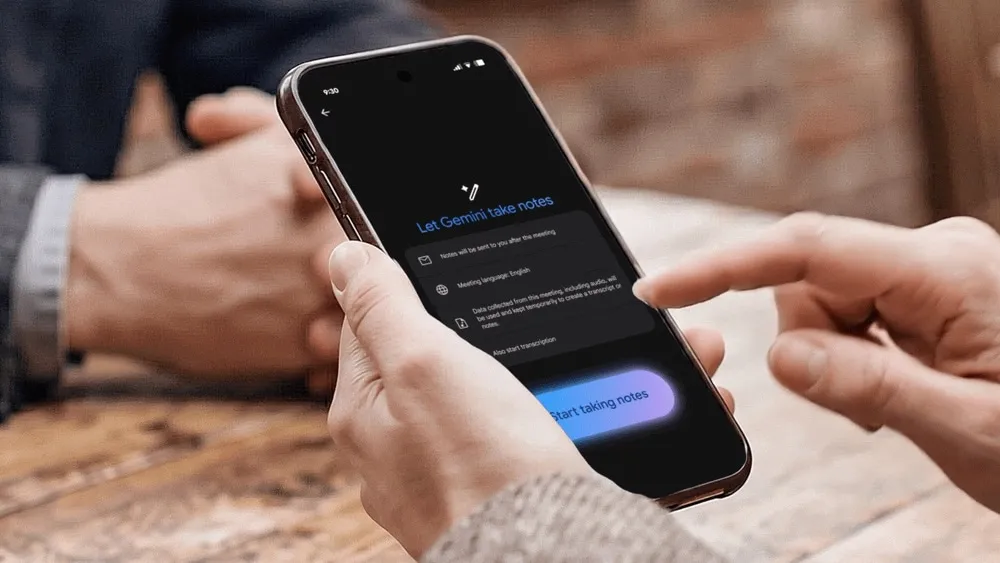
Gemini Goes Beyond Google Meet: Google’s Note-Taking AI Now Targets Zoom and Teams
Google is significantly expanding the capabilities of its note-taking AI. Previously primarily associated with Google Meet, Gemini can now generate summaries, transcripts, and action items for in-person meetings, as well as for exchanges held on Zoom and Microsoft Teams.
This might seem like a subtle change, but it greatly reflects Google’s ambition: to make Gemini a cross-platform productivity layer beyond its own applications.
A Feature No Longer Limited by Meeting Format
The transformation here is simple to express, yet strategically important. Google now indicates that whether a meeting is in person or hosted by another provider like Zoom or Teams, simply pressing “Take notes for me” from the Google Meet home screen, on either mobile or desktop, allows Gemini to capture the conversation and produce a summary with action items in a Google Doc.
In simpler terms, Google is no longer confining Gemini to the strict boundaries of Meet. The Google Meet interface now serves as a gateway to a broader meeting documentation service, supporting work no matter where it takes place.
This represents a crucial shift: Google Meet is no longer just a video call tool but a launchpad for Workspace’s AI functions.
In-Person Finally Becomes an Official Use Case
Google had already trialed note-taking in in-person settings with a small group of alpha users on Android. This functionality is now moving beyond that limited framework. Official documentation states that users can initiate note-taking even without a dedicated meeting room or a pre-scheduled appointment, paving the way for impromptu meetings, quick check-ins between colleagues, and informal hallway discussions that can become structured.
Google also notes that if a remote participant joins an in-person meeting, it’s possible to switch the gathering to a standard video call. This detail matters, as it shows that the company aims to cover the continuum of hybrid work: a discussion might start at a table and then extend to remote participation without breaking the flow of capture and synthesis.

How Does It Work in Practice?
In practice, the user opens the Google Meet app or website and selects “Take notes for me” from the home screen. Gemini then records the conversation, generating a transcript, summary, and action items, which are all saved in a Google Doc stored in the Drive of the account that initiated the recording.
Google presents this mechanism as a way to remain focused on the conversation rather than manual note-taking.
This positioning is interesting since it shifts the value of AI. The focus is no longer merely on transcribing conversations but transforming them into usable work objects: documents, decisions, and action lists. This is where Google aims to make Gemini not just a handy assistant, but an essential component of the professional workflow.
Why This Evolution Matters
On paper, this announcement feels like a logical extension. In reality, it signifies something deeper: Google wants its AI functions to follow users, even when meetings occur outside of a Google product. This is a clever way to break free from platform dependency. The goal is no longer just to keep people in Meet, but to ensure that Gemini remains the tool that captures, structures, and recovers work, regardless of the environment.
This also serves as an implicit response to market evolution. Hybrid usage is no longer the exception: transitioning from Meet to Teams, Zoom to an in-person chat, sometimes within the same day. By enabling Gemini to function in these varied contexts, Google strengthens the coherence of its Workspace offering and prevents AI from being confined to application silos.
This expansion gives its assistant a more credible role in the competitive productivity tools arena.
An Enticing Promise, with the Same Fundamental Question
As is often the case with such tools, the effectiveness relies on the quality of comprehension, the accuracy of the transcription, and the relevance of the generated actions. The promise is strong: less friction, less forgetting, more document continuity. However, as AI becomes integrated into informal or multi-platform contexts, the demand for precision increases. A good synthesis can streamline an entire project; a poor interpretation can introduce ambiguity where clarity was sought.
Ultimately, this announcement reveals much about the direction in which Workspace is headed: AI is not merely there to assist during a call, but to document work, irrespective of its location or format. And that might be the true transformation.



