

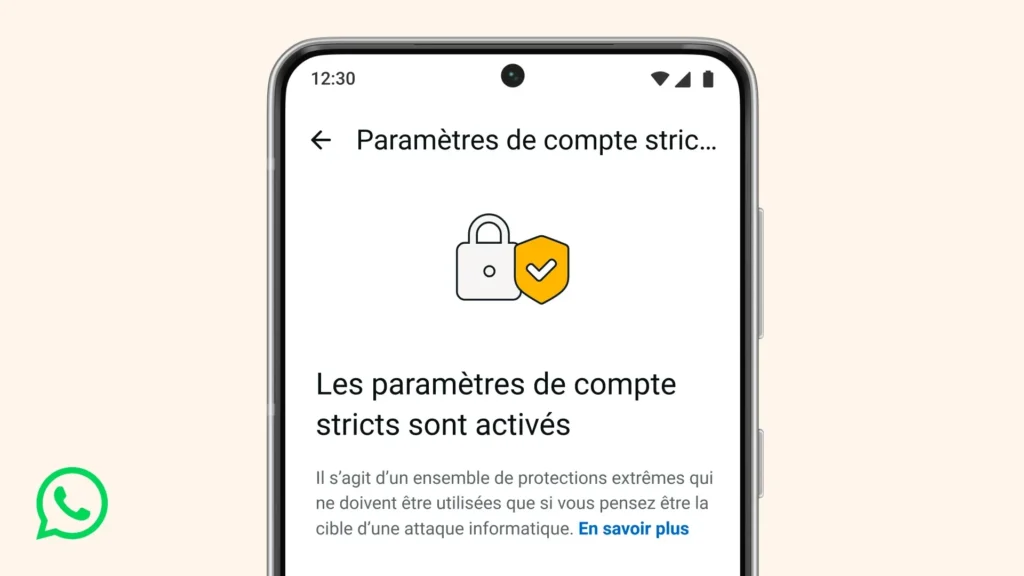
Strict Account Settings: WhatsApp Locks Its Doors Against Spyware
WhatsApp introduces a new layer of protection designed for a very specific audience: those exposed to sophisticated attacks — journalists, NGO leaders, elected officials, and public figures.
The feature is called Strict Account Settings. The concept is straightforward, almost radical: intentionally reduce some functionalities to close off avenues that attackers have exploited for years.
A slightly less “convenient” WhatsApp, but significantly harder to compromise.
A WhatsApp “Lockdown” Mode: What Happens When You Activate It
Once activated, Strict Account Settings automatically adjusts several settings to stricter options:
- Automatic blocking of attachments and media from unknown contacts (unsaved contacts).
- Calls from unknown numbers are silenced (to cut off attack vectors through calls).
- Disabling link previews (historically, link previews can increase the attack surface in rendering).
- Privacy restrictions: profile pictures, “About,” online status… less visible to non-contacts (depending on the applied settings).
Activation also enables two-step verification by default and security notifications (alerts when a contact’s security key changes), along with a more aggressive blocking of unknown messages.
WhatsApp emphasizes that this mode is not for everyone. It should only be activated if you believe you are a target of an advanced campaign.

Why Now: The Pegasus Trauma and the Era of “Commercial” Spyware
This launch takes place against a backdrop where WhatsApp has been at the center of targeted espionage campaigns. The most noteworthy case remains Pegasus (NSO Group): an attack via WhatsApp highlighted “zero-click” vectors related to calls. Additionally, WhatsApp reported countering a campaign targeting around 90 journalists and civil society members attributed to a different spyware (often referred to as “Graphite”).
In this context, Strict Account Settings appears to be a product response: while the app is end-to-end encrypted, attacks have shifted to “everything else” (calls, incoming media, rendering, account settings, social engineering). Therefore, WhatsApp is strengthening “everything else”.
A Broader Trend: Apple, Google… and Now WhatsApp
WhatsApp is following a trend already seen among other major players, with enhanced modes prioritizing security over convenience — such as Apple’s Isolation Mode (2022) or advanced protections on Google/Android. The underlying message is almost political: for certain individuals, messaging is not a social tool, but a constant attack surface. In such cases, “fewer features” may mean “lower risks”.
How to Activate It?
The deployment is expected in the coming weeks. The pathway is: WhatsApp Settings → Privacy → Advanced → Strict Account Settings.
Two important details:
- Activation occurs from the app on the primary device (not from WhatsApp Web).
- The mode deliberately restricts functionalities: if you rely on links, previews, incoming media, or quick group additions… you will notice the difference.
Lastly, it’s worth noting that Meta is facing a lawsuit claiming that the company and WhatsApp could access private discussions. According to Bloomberg, Meta denies these allegations through Andy Stone, calling the complaint fanciful and reminding users of the use of the Signal protocol for encryption.
In this climate, announcing an “ultra-secure” mode is also a way to communicate: security is not just a slogan; it is an adjustable, verifiable setting that is acknowledged to be constraining.



