

ChatGPT Atlas: Tab Groups and Auto Search Mode Arrive on macOS
OpenAI is continuing to enhance ChatGPT Atlas beyond being merely a Chrome browser with an AI button. The latest update for the macOS browser introduces eagerly anticipated features that transform it from an intriguing product to an everyday tool: tab organization (Tab Groups) and hybrid search (an Auto mode that switches between ChatGPT and Google).
The Most Visible Change for ChatGPT Atlas: Tab Groups, Finally
In the release notes for build 1.2026.15.3 (dated January 21, 2026), OpenAI confirms the introduction of Tab Groups in ChatGPT Atlas. The concept is straightforward—grouping pages by project, travel, shopping, or research—but it’s precisely the type of feature that Atlas needed to compete with Safari and Chrome (as well as more productivity-focused browsers like Arc).
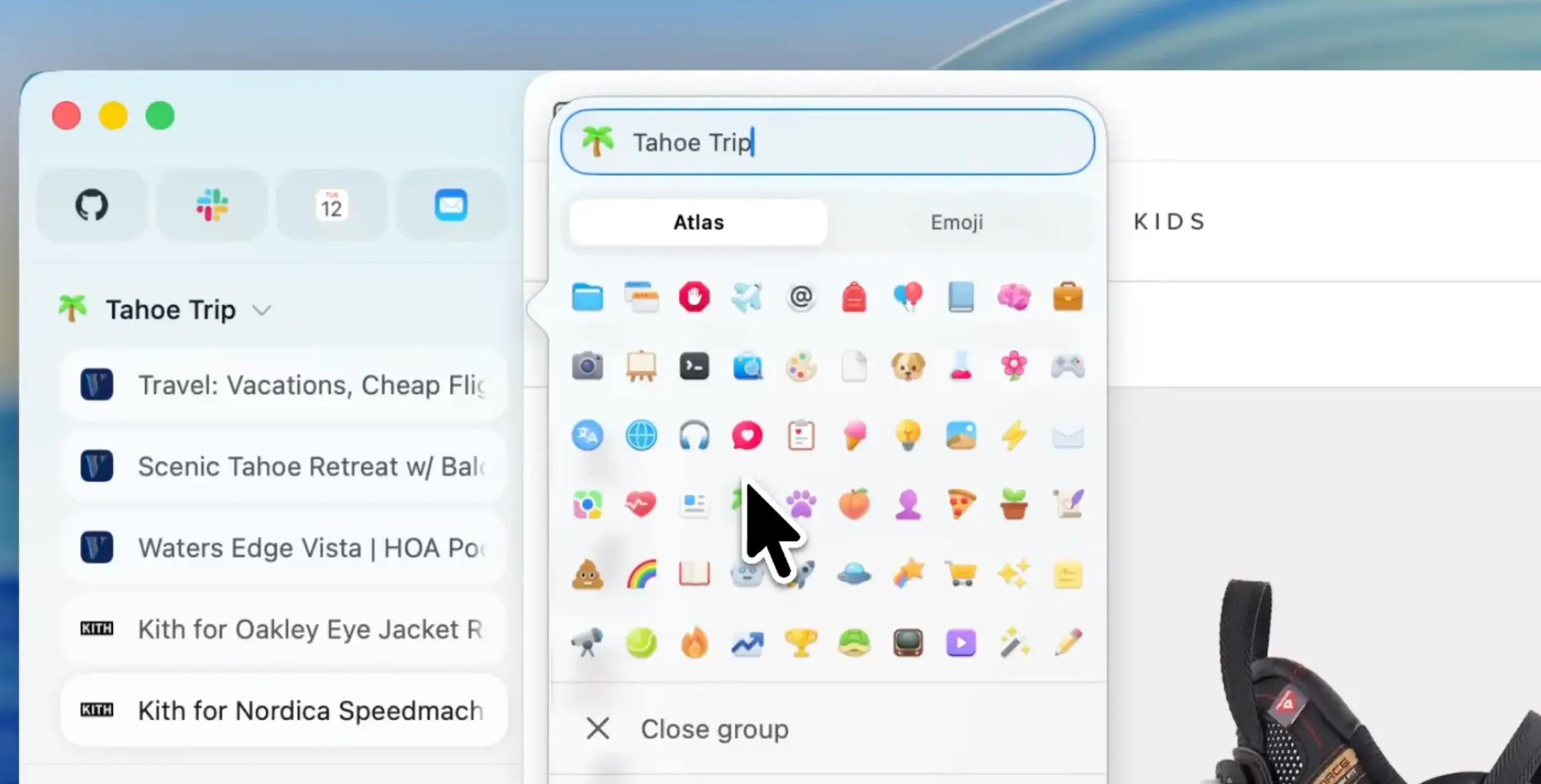
Included in this update are also fixes for the “Mini mode” of vertical tabs when the sidebar is very narrow, along with a simplified tab context menu.
The Real Novelty of “Useful AI”: An Auto Mode that Switches Between ChatGPT and Google
The second major change is with search functionalities. ChatGPT Atlas now includes an Auto mode that automatically alternates between conversational responses (ChatGPT) and traditional searches (Google), depending on the nature of the query. This effectively eliminates the mental friction of deciding whether you want a summary or just links.
OpenAI has also introduced a more user-friendly result interface, featuring links in a vertical list that is easier to scan.
Important Details: iCloud Passwords for Safari Switchers and Minor Optimizations Everywhere
ChatGPT Atlas is also focusing on the “entry moment”: for those transitioning from Safari, the onboarding process now suggests installing the iCloud Passwords extension for easier retrieval of credentials and habits.
Additionally, the update includes less glamorous but essential tweaks: a simplified address bar menu, crash fixes, updated translations, and support for macOS text replacements on web pages.
Strategic Reading: OpenAI “Normalizes” Atlas to Better Implement Its AI
This update follows a consistent trajectory. The first major wave post-launch in November 2025 had already established the fundamentals: vertical tabs, iCloud passkeys, an option to set Google as the default search engine, and various navigation adjustments.
With Tab Groups and Auto mode, OpenAI is transitioning ChatGPT Atlas from an “AI-first” browser to an “AI everywhere, but subtle” experience. This is often where adoption is won: when AI is no longer a demo but a layer that reduces micro-frictions.
The deployment is currently underway on macOS (the only platform available as of now). OpenAI continues to indicate that Windows, iOS, and Android versions are in development.



