

How Gemini’s ‘Skills’ Will Save You Hours on Chrome
Google is introducing a new feature in Chrome that could transform how we use AI in our daily lives. With the “Skills,” Gemini no longer just responds within Chrome; it remembers, automates, and executes your prompts like true tools.
If you often use Gemini in Google Chrome, you have likely repeated the same prompts over and over.
Google provides an elegant solution: turning these prompts into reusable actions, accessible with a single click and synchronized across all your devices. In other words, Gemini is evolving from a conversational assistant to a no-code programmable interface.
From Prompts to “Mini-Apps”
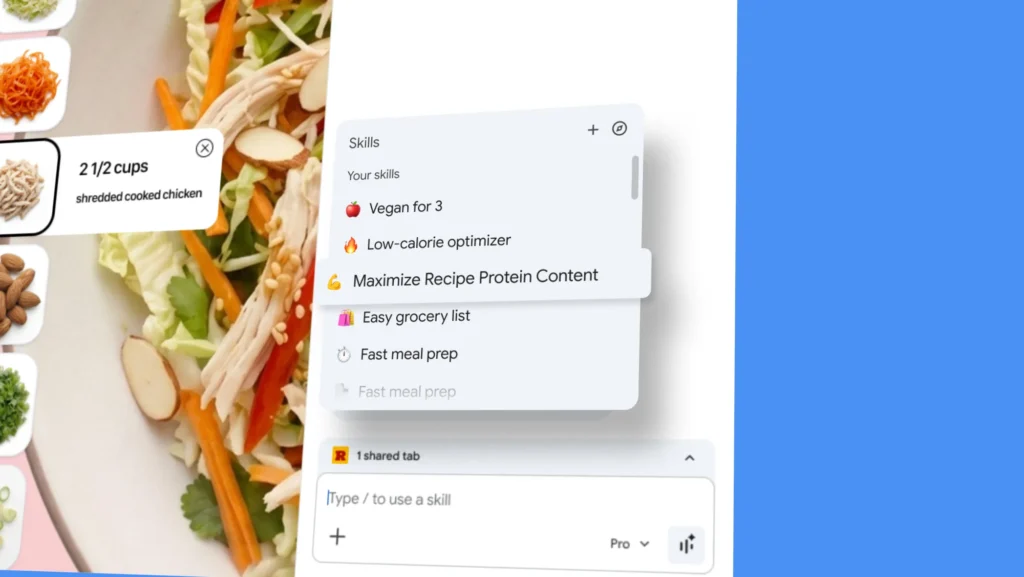
With Skills, each prompt can be saved as a tool. This allows for a wide variety of use cases:
- analyzing a recipe and automatically calculating macros
- comparing product sheets opened in multiple tabs
- summarizing a lengthy document in seconds
- generating recurring templates (emails, reports, notes)
Once saved, the Skill is available everywhere as long as you are logged into your Google account.
A Library of Ready-to-Use Skills
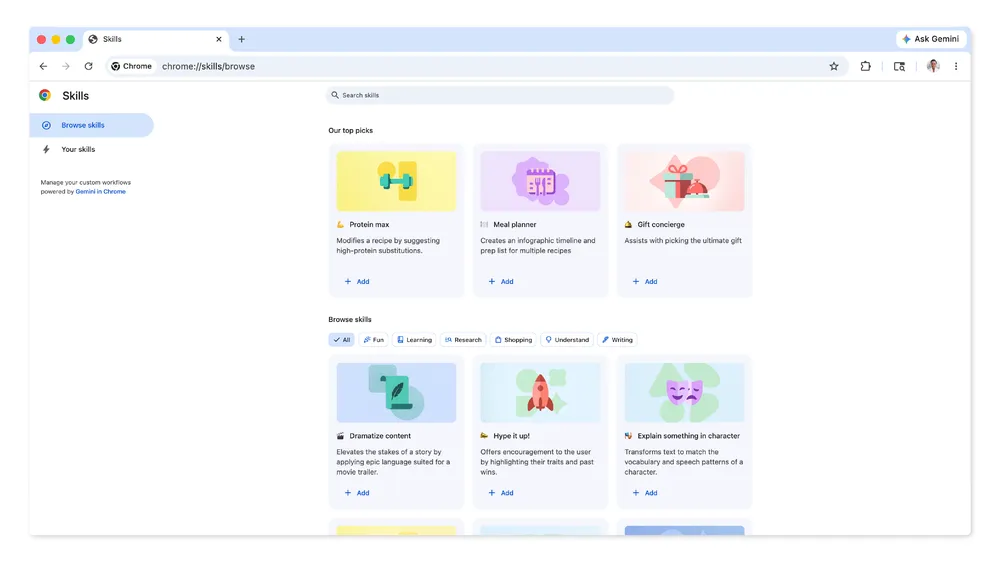
Google isn’t just providing a blank slate. The company is also introducing a library of pre-configured Skills. These templates allow for immediate use of optimized prompts, letting you adapt them to your needs and speed up onboarding.
This is a strategic approach: democratizing automation without requiring technical skills.
Seamless Integration in the Chrome Experience
The use is designed to remain lightweight and fast:
- type / in Gemini to launch a Skill
- use + to access tools
- manage your Skills via a dedicated interface
This interface choice echoes a well-known logic among power users: quick commands, but adapted for AI.
Automation… with Safeguards
Google also incorporates safety mechanisms. Before any sensitive action (sending an email, modifying a calendar), Gemini requests explicit confirmation. This is crucial in preventing automation from becoming intrusive or risky—especially as AI becomes increasingly proactive.
A Broader Vision: Towards a “System” Gemini
Simultaneously, Google is testing a feature called “Projects,” allowing users to organize AI conversations into folders—an approach already seen in ChatGPT.
Although this feature is still limited for now, it confirms a trend: AI is evolving towards a structured work environment, not merely a conversational one.
Google Transforms AI into an Interface
With Skills, Google takes a significant step forward. The goal is no longer just to make Gemini intelligent but also repeatedly useful. Previously, a prompt corresponded to a response; now, a prompt serves as a tool.
This change may seem subtle, but it’s strategic. It positions Gemini closer to automation tools like Zapier, custom scripts, or even a simplified AI-based operating system.
Indeed, with Gemini and Skills, Chrome transforms into a platform for automation, a contextual assistant, and an intelligent productivity hub—all without complex installations or setups.
Gemini is no longer just assistive. It is beginning to adapt.



