

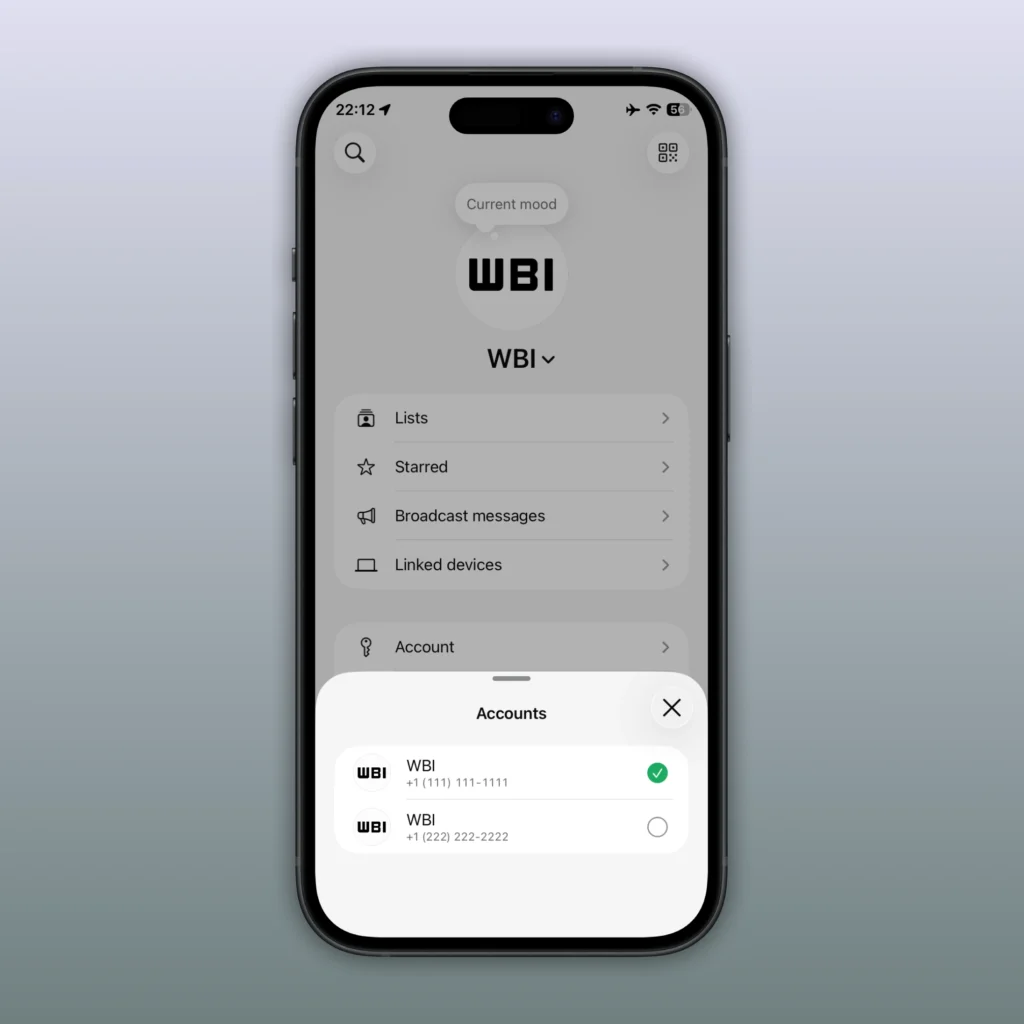
WhatsApp on iPhone: Managing Multiple Accounts Becomes Native
After a long time allowing iPhone users to juggle between WhatsApp Business, a second smartphone, or various impractical tricks, WhatsApp finally rolls out a native solution for managing two accounts within the same app on iPhone.
Spotted by WABetaInfo and gradually expanded to more users, this new feature is now available through version 26.22.76 of the app on iOS. It may seem like a subtle update, but it could significantly simplify the lives of millions who separate their personal and professional communications.
Two Numbers, One Application
The concept is straightforward. From the WhatsApp settings, users can now select the “Add Account” option to register a second phone number.
There are two ways to link the accounts:
- By directly registering a new number
- By using a QR code to link an existing account as a connected device
Once set up, each account maintains its own environment:
- Conversation history
- Calls
- Notifications
- Privacy settings
- Profile picture
- Custom preferences
This way, WhatsApp avoids mixing data between the two spaces, providing an experience similar to user profiles on certain operating systems.
Switching Between Accounts Instantly
One of the main advantages of this update lies in the ease of navigation. Users can now switch accounts without needing to log out:
- Through the “Account” section in settings.
- By pressing and holding the “You” tab for quick access.
- By tapping the tab to view all registered accounts.
The experience is akin to what some apps like Instagram or X already offer, where multiple profiles coexist seamlessly.
The End of Workarounds
Until now, most iPhone users wanting to use two WhatsApp numbers had to resort to imperfect alternatives.
The most common method involved using WhatsApp Messenger for a personal number and WhatsApp Business for the secondary one, even if no business activity was involved.
Others preferred to keep a second device solely to manage another account.
With this update, WhatsApp finally removes this constraint and centralizes all communications in a single app.
Smart Notifications to Stay Updated
Another interesting aspect: WhatsApp continues to monitor both accounts simultaneously.
Even when a profile is not actively displayed on the screen, notifications function normally. When a message or call comes in on the second account, the user receives a dedicated alert and can switch directly to the appropriate profile from the notification.
This approach further positions WhatsApp as a true hub for personal and professional communication.
A Logical Evolution in Meta’s Strategy
This feature fits into a broader transformation of the WhatsApp ecosystem.
In recent months, Meta has implemented numerous updates aimed at making the platform more versatile: channels, communities, enhanced calls, AI tools, and new customization options.
The native management of multiple accounts addresses a long-standing user demand while strengthening WhatsApp’s position against competing applications that have offered this flexibility for several years.
A Small Change That Truly Enhances Daily Life
Not all updates require technological revolutions to have an impact. The ability to manage two WhatsApp accounts on a single iPhone is one of those simple improvements that solve a concrete problem.
For freelancers, professionals, students, or simply users with two numbers, this new feature could quickly become essential.
After years of waiting, WhatsApp finally catches up on one of its community’s most basic needs.



