

watchOS 26.4: The exercise shortcut that changes everything for athletes
In the major wave of updates released by Apple last night, watchOS 26.4 may not be the most spectacular version, but it refines the essentials.
The Apple Watch doesn’t change its nature with this revision; however, it gains fluidity where it truly matters: starting a workout, audio compatibility, everyday small uses, and overall stability.
Apple launched watchOS 26.4 on the same day as iOS 26.4 and macOS Tahoe 26.4.
The exercise app becomes more direct
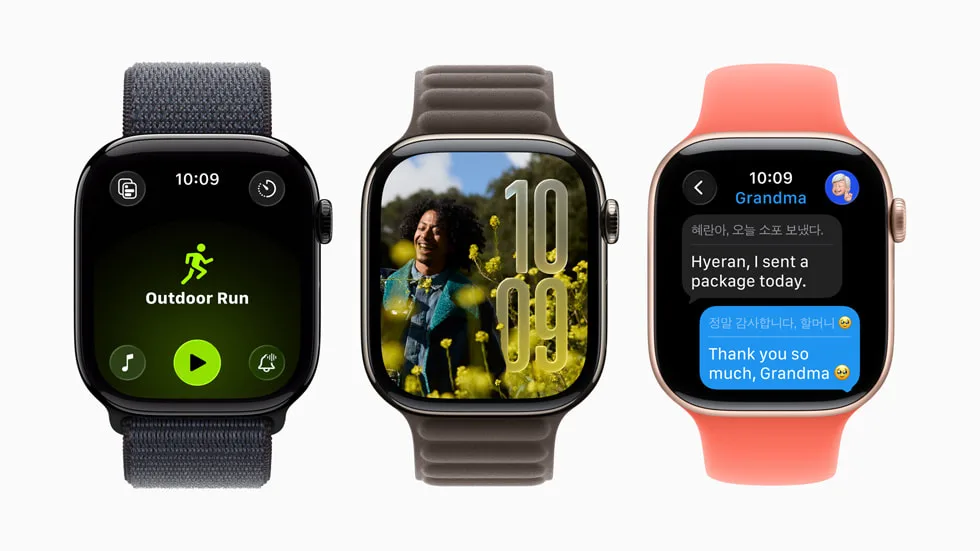
The most concrete novelty concerns the Exercise app. Apple now adds an icon for the workout type that allows for quicker session launches with a simple tap. It’s a tiny adjustment on paper, but one that makes perfect sense considering the central role the Exercise app holds on the Apple Watch.
For users who alternate between walking, running, cycling, or HIIT, reducing the number of steps needed to start matters more than a lengthy list of flashy new features.
This adjustment isn’t random. Since the redesign of the Exercise app in watchOS 26, some users felt the new process was less intuitive than before. With version 26.4, Apple seems to acknowledge that a watch designed for effort must first be fast, readable, and instinctive.
AirPods Max 2 and new emojis: small touches, but meaningful
watchOS 26.4 also adds support for AirPods Max 2, a detail that aligns with the integration of the Apple ecosystem. The update also includes eight new emojis in the keyboard, such as an orca, a paperclip, a landslide, a ballet dancer, and a warped face. Apple summarizes the remaining updates with a classic phrase: bug fixes and security updates.
In other words, watchOS 26.4 doesn’t aim to redefine the Apple Watch. It smooths out frictions, enhances additional uses, and strengthens the platform. This is often the role of x.4 versions at Apple: less disruption, more polish.
A discreet update, but true to the product’s function
What’s most interesting about watchOS 26.4 might be its modesty. The Apple Watch is a device for routine use: you check it quickly, start a session, follow a notification, control your music, and move on. In this context, improving the startup gesture in Exercise or better supporting audio accessories can prove more valuable than a big, poorly integrated new feature.
Apple also accompanies this version with security updates, reminding us that beyond visible functions, these intermediate releases also serve to maintain overall reliability. Apple lists watchOS 26.4 among its security releases from March 24, 2026, for Apple Watch Series 6 and later.
How to install watchOS 26.4
To install the update, Apple follows the usual path: Settings > General > Software Update on the Apple Watch, or via the Watch app on iPhone under General > Software Update.
The Apple Watch must be charged and connected to initiate the process. Apple did not specify any new specific process for 26.4 in the sources consulted, so this follows the standard update path.
Apple continues to treat the Apple Watch as a precision product
watchOS 26.4 effectively illustrates Apple’s current philosophy regarding the smartwatch. No functional overkill, no grand AI promises put on display at the wrist, but a series of micro-adjustments that make the device more enjoyable in its most frequent use. The Apple Watch remains a product of quick gestures, and Apple seems to understand that its value often lies in these invisible details.
In summary, watchOS 26.4 is not a spectacular update. It is a precision update. And on a device as personal as the Apple Watch, that’s often exactly what is needed.



