

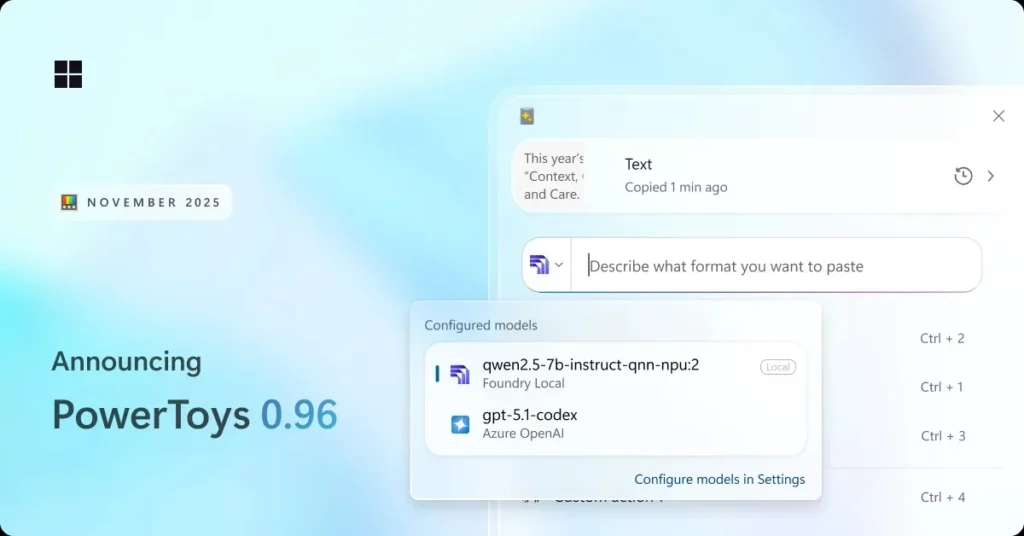
PowerToys 0.96: Clipboard Becomes an AI Text Processing Hub
The Microsoft PowerToys suite continues to evolve. The newly released version 0.96 introduces a range of welcome improvements, but it is primarily the Advanced Paste feature that is seeing its most significant upgrade.
This tool is transforming into a genuine AI text processing hub—flexible, versatile, and tailored to sensitive needs.
Advanced Paste Now Supports Cloud and Local AI Models
Previously limited, Advanced Paste finally gains the freedom to choose multiple AI models within a single environment. In the settings, users can now configure several AI endpoints: OpenAI, Gemini, Azure OpenAI, Mistral, and even local models through support for Ollama and Foundry Local.
This is a major advancement for anyone handling confidential text: there is no longer a need to send data to the cloud. Processing can happen directly on the machine, potentially utilizing the NPU.
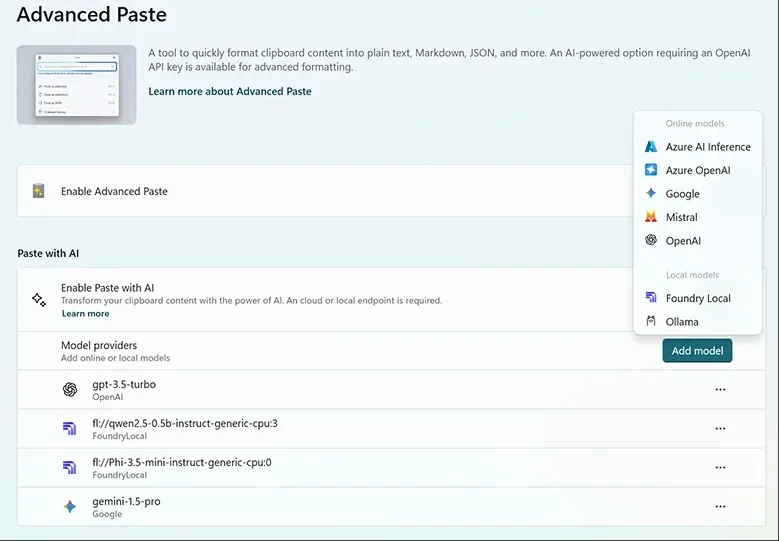
The configuration is straightforward: a button to “Add an endpoint,” a few fields (API key, model used), and you’re set. Since each model excels in different areas, combining multiple endpoints becomes a tangible advantage.
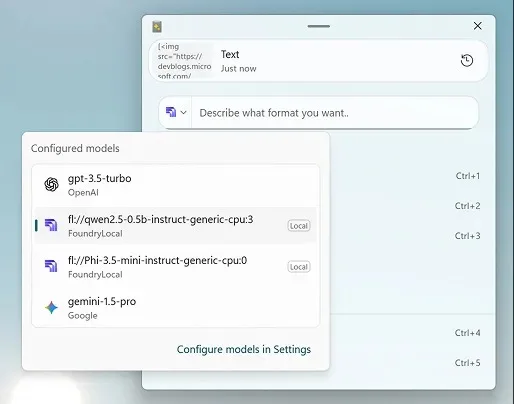
The Advanced Paste interface has been enhanced with a dropdown menu for quickly selecting the desired model. A preview of the clipboard content displays by default, with the option to disable this feature.
A Suite That Gets Polished: Command Palette, Extensions, Usability
Version 0.96 is not just about AI. The Command Palette has received numerous fixes and visual adjustments. Notably, a long-awaited search bar has been added to the extensions tab, making it easier to navigate through the numerous modules.
The integrated extensions are now better labeled, reducing visual clutter. Another welcome improvement is the ability to choose whether the palette should automatically recenter or reopen at its last position while remembering its previous window size.
Light Switch Becomes More Reliable… and Geographically Accurate
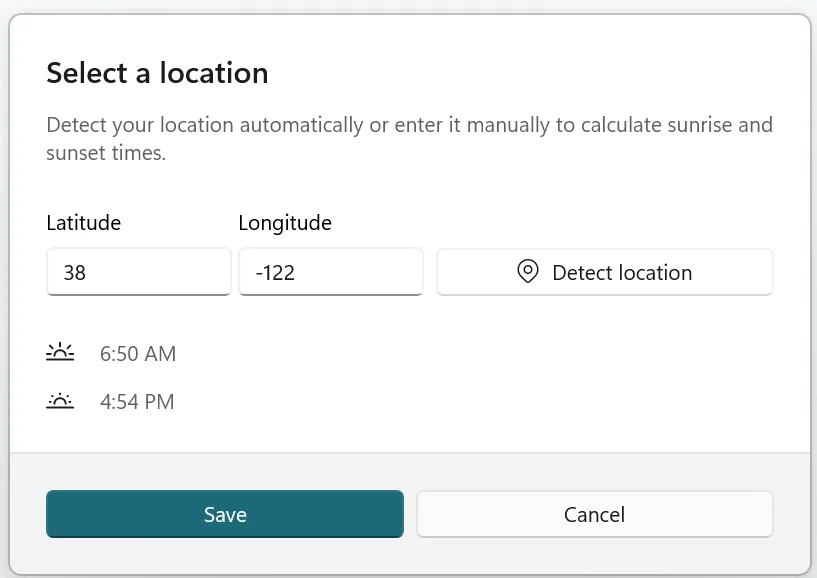
Light Switch, a recent addition, has become more stable and dependable. The tool now allows users to manually enter latitude and longitude for sunrise and sunset calculations. This is essential if Windows inaccurately detects the location or if the user desires precise control over lighting behavior.
The Settings Dashboard has also been revamped: it is now possible to sort the list of utilities alphabetically or by status, greatly enhancing organization.
Version 0.97 Focused on Stability on the Horizon
The development team is already announcing: the next version, scheduled for January, will focus on stability, performance, and a general bug clean-up. A welcome break after the numerous new features introduced in recent months.
PowerToys 0.96 is now available on the Microsoft Store and the official GitHub repository.



