

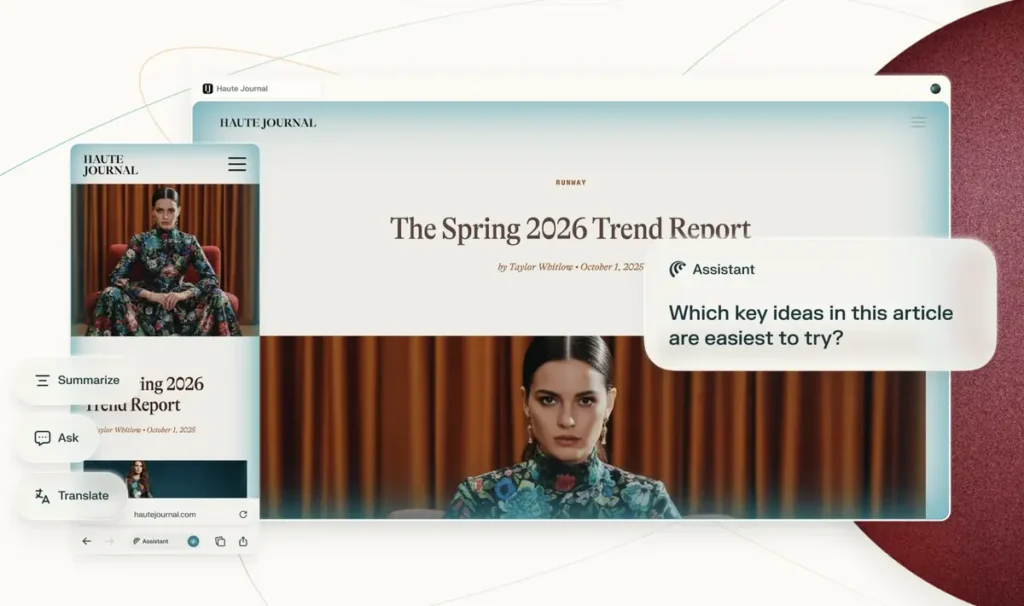
Perplexity Comet finally becomes credible on iPad with Split View and multi-window
Perplexity addresses one of the main shortcomings of Comet on iPad. The AI browser now supports Split View and multiple windows, two essential features that transform the app into a true mobile work tool.
The iPad is no longer just a larger version of the iPhone
Comet already had appeal on mobile with natural language search, page summarization, integrated assistant, and more conversational navigation. However, on iPad, the experience remained limited without real multitasking capabilities.
With this update, users can keep Comet open alongside Notes, Mail, Pages, Slack, or a PDF reader. The support for multiple windows also allows for separating tasks: one window for browsing, another for querying the AI, comparing sources, or synthesizing research.
Today we’re rolling out a new native Comet experience for iPad.
Comet now works seamlessly with iPadOS features like multiple windows and Split View, so you can work with Comet alongside the apps you already use.
Available now on the App Store. pic.twitter.com/wgyKXXvnE1
— Comet (@comet) April 28, 2026
This evolution significantly alters the target audience for Comet. The app is now not only useful for quick questions or occasional summaries; it becomes more relevant for students, journalists, researchers, content creators, or users who are gradually replacing their computers with an iPad.
Perplexity markets Comet as a browser-assistant capable of summarizing, searching, organizing, and automating certain tasks directly on the web. On a larger screen, these promises make much more sense.
A step closer to Safari and Chrome
The challenge remains substantial. Safari has the advantage of Apple integration, while Chrome benefits from existing habits and the Google ecosystem. However, Comet takes a different approach: making AI not just an addition, but the main navigation interface.
With Split View and multi-window support, Perplexity not only enhances the comfort of using Comet but finally makes it usable during moments when the iPad transforms into a production machine.



