

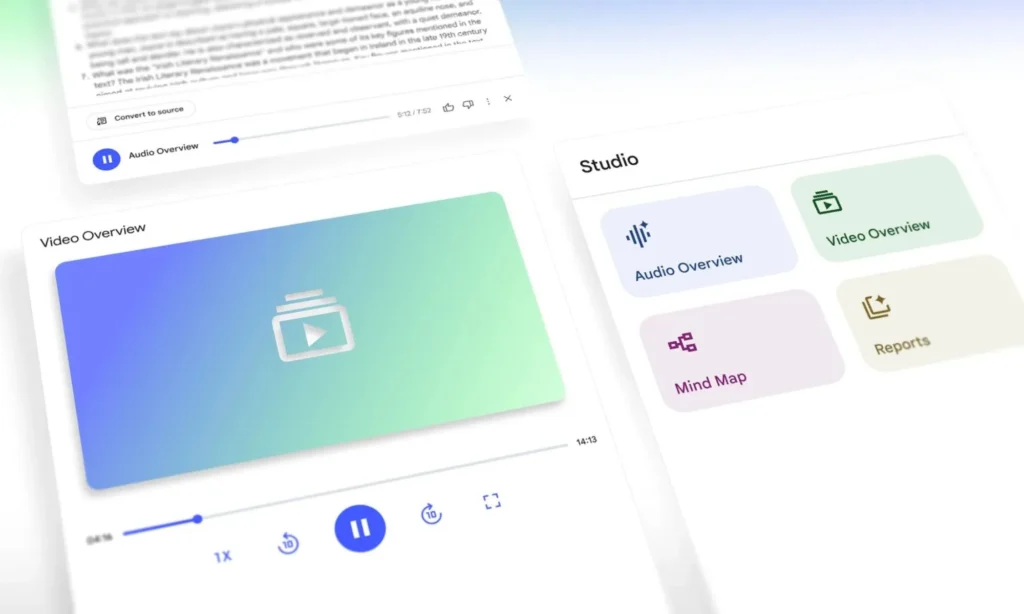
NotebookLM on Android and iOS: Google launches ‘Video Overviews’ and enhances infographics
Reading a dense PDF or never-ending lecture notes on a smartphone is hardly enjoyable. Google is attempting a very ‘2026’ solution: transforming your documents into AI-generated explainer videos.
The Video Overviews feature is set to roll out on the NotebookLM app, alongside more refined customization options for infographics—and soon, advanced options for slide deck presentations.
A Mobile-Friendly Feature: Video as an Antidote to the ‘Wall of Text’
Google had already introduced Video Overviews and a revamped Studio on the web, aimed at “distilling” complex content into more digestible formats. The new development in early 2026 is the mobile expansion: Android and iOS users can access this feature directly within the app.
In essence, the goal is straightforward: instead of summarizing a document in text (or an audio-style “AI podcast”), NotebookLM can generate a narrated video complete with visual elements—slides, highlights, diagrams—to convey the essential information quickly and seamlessly.
What’s Changing in the NotebookLM App
Video Overviews: Generation and Review in the Studio Tab
Within the app, everything revolves around the Studio tab: you can generate a Video Overview from your sources and review previously generated videos. Google is also adding playback speed controls (useful for studying or slowing down on technical sections).
Infographics: Greater Control, Less ‘Default Summary’
Another significant upgrade is that infographics are now editable via a pencil icon. You can modify the format (portrait/landscape/square), select the sources used, set an output language, and add a prompt to steer the rendering.
Slide Decks: The Next Step (Not Fully Rolled Out Yet)
Finally, reports suggest that options for more structured presentations are on the way, featuring “detailed” vs. “presenter” modes, varying lengths, languages, and prompts—but deployment appears to be gradual.
Google’s Strategic Goals
Beneath this “nice” feature lies a strategic maneuver: NotebookLM aims to become the default format for consuming your personal content, merging the functionality of an RSS reader, PDF highlighter, and AI assistant.
Three key implications arise:
- The battle shifts from the model to the interface. AIs can summarize information. The distinction now lies in the ability to produce the right format at the right time—and on mobile devices, video is often the most acceptable format.
- “Document-grounded” becomes a trust argument. NotebookLM emphasizes that it works from your sources. This positioning is crucial in an era where generalist assistants can be brilliant yet imprecise.
- Google is aiming for the reflex of “I import → I understand.” If Video Overviews live up to expectations, NotebookLM could become essential for students, consultants, and analysts—all professionals who engage with PDFs, notes, briefs, and specs.
Video summaries can effectively capture a document’s structure and help memorize key points. However, like any generative system, the main challenge lies in fidelity: it’s essential to maintain the habit of verifying critical passages in the sources, especially for professional decisions.



