

macOS 26.4: Apple saves your MacBook battery with these 2 features
Apple has not made macOS 26.4 a groundbreaking update. However, for MacBook users, it addresses two significant everyday annoyances: long-term battery health management and the lack of clarity when a charger is not providing sufficient power.
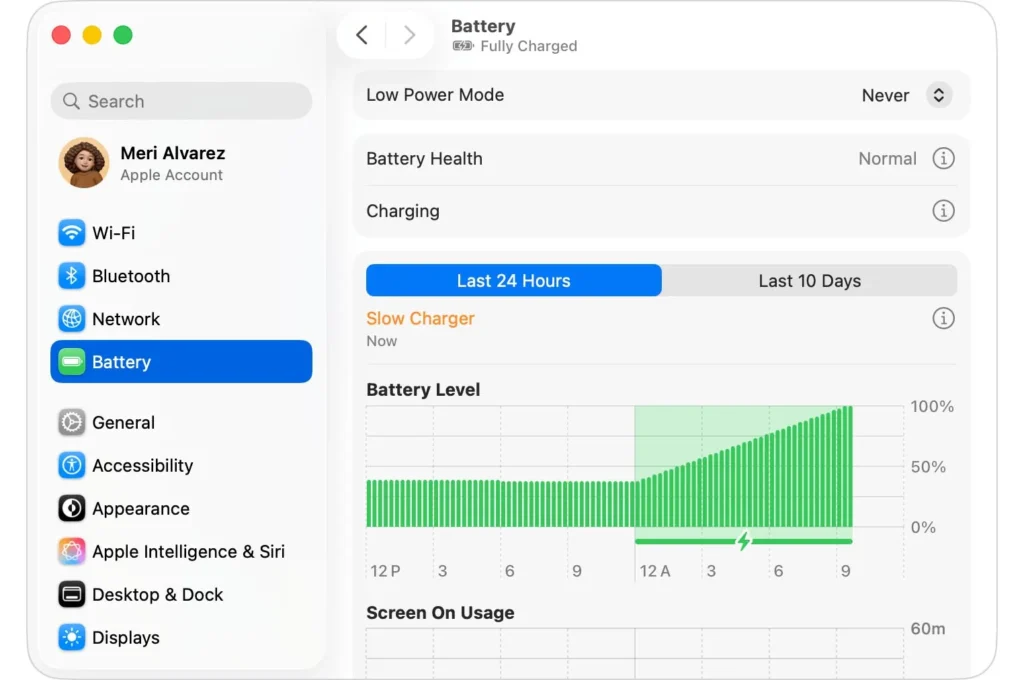
With this version, Apple officially introduces an adjustable charging limit and a new “Slow Charger” indicator that alerts when the charging speed is too slow for your device.
A True Charging Limit Finally Arrives on MacBook
The most significant new feature is the Charging Limit function. Apple now states that with macOS 26.4 or later, you can set a threshold that the Mac will consider a full charge.
The MacBook will charge up to a few points around this threshold, stop, and only resume charging if the battery level drops more than 5% while still plugged in. The idea is straightforward: reduce the time spent at 100% to better preserve battery health over time.
This change finally brings the Mac in line with other Apple devices that are already better equipped in this regard. Moreover, it transforms a previously automated process—the Optimized Battery Charging—into a more explicit, user-controlled setting.
“Slow Charger”: Apple Finally Adds Clear Diagnostics
The other improvement, although less prominent, is the “Slow Charger” message. Apple has updated its documentation to clarify that, in macOS 26.4 or newer, the Mac can indicate when it’s charging slowly. This notification appears in the battery menu as well as above the battery level graph in settings.
This is precisely the type of detail that has been missing from Macs. Until now, users could plug in an adapter that was too weak, an inadequate cable, or a USB-C hub that limited power without receiving a clear system signal. Now, the uncertainty is eliminated: if the power supplied does not meet the minimum requirements for the model, macOS will clearly indicate so.
What to Do If the Message Appears
Apple recommends that if your Mac displays “Slow Charger,” you should switch to a charger and cable that meet the minimum power requirements for the specific model. The company refers to its own charging specifications for each device. In other words, the new indicator is not just informative; it points to a specific hardware issue that needs addressing.
None of these updates redefine the MacBook. However, together they reflect the current direction of macOS: Apple seems to be focusing more on user experience than on grandiose demonstrations. A charging limit to extend battery life, a clear alert to avoid subpar chargers, and a slightly more transparent energy management system. It’s not spectacular; it’s simply well thought out.



