

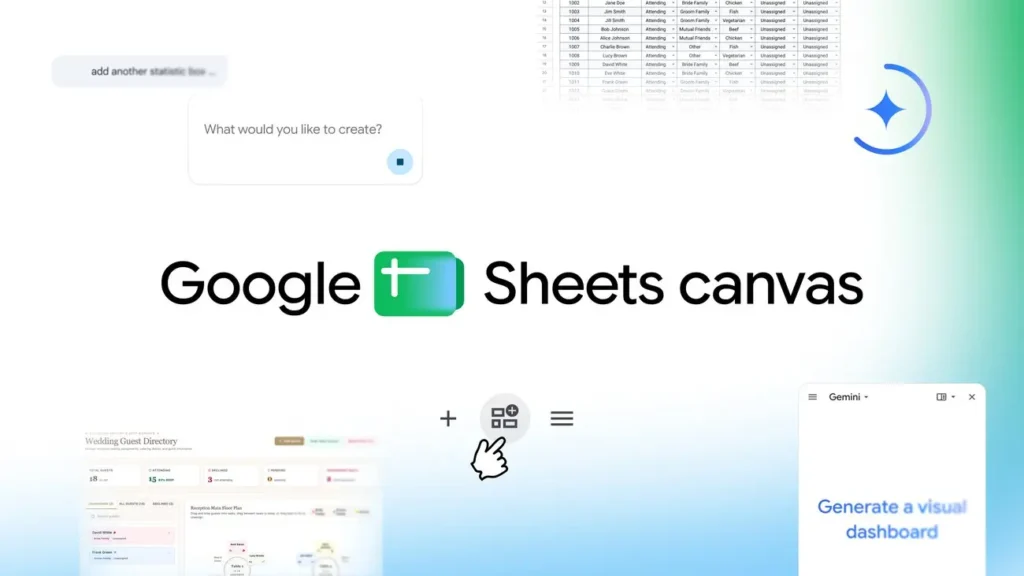
Google Sheets Canvas transforms your spreadsheets into interactive mini-apps with Gemini
Google aims to elevate the spreadsheet beyond its grid of cells. With Sheets Canvas, Gemini can now turn data from a Google Sheets document into interactive dashboards, task trackers, Kanban views, or seating plans, all created with a simple natural language instruction.
Google Sheets aims to go beyond a simple spreadsheet
Introduced in April during Google Cloud Next 2026, Sheets Canvas is now rolling out on a larger scale. Google describes this feature as a visual and interactive layer built directly over spreadsheet data.
This approach is indicative of the evolution of Google Workspace.
Rather than requiring users to manually create pivot tables, charts, or complex interfaces, Gemini can be instructed with phrases like “create a dashboard to track my expenses” or “turn this list into a study tracker,” generating the appropriate interface directly.
Google even refers to these as interactive mini-apps rather than just simple visualizations. This is an important distinction: Sheets Canvas not only displays the data but allows users to manipulate it as well.
An interactive layer directly connected to data
Technically, Canvas operates as a read-and-write interface layered on top of an existing spreadsheet. Spreadsheet information can be reorganized into cards, dashboards, calendars, heat maps, or Kanban boards. Users can directly modify elements from this new interface.
The key feature here is synchronization.
When a value is changed in Canvas, the corresponding data in the original spreadsheet is updated. The reverse is also true: changes made in the spreadsheet are reflected in the Canvas interface. Google states that this synchronization occurs in real-time, greatly transforming the user’s interaction with the spreadsheet.
The grid of cells remains the data source, but it is no longer necessarily the interface used regularly.
No coding skills or complex formulas needed
This is perhaps the most significant aspect of Sheets Canvas. Google aims to make creating internal tools accessible to users who have no programming experience or expertise in complex formulas. A simple prompt is all it takes to instruct Gemini to create an interface from the information present in the sheet. Users can then continue to interact with the AI to modify the design, organization, or certain functionalities of the Canvas.
Google specifically notes the ability to ask Gemini to switch a dashboard to dark mode or to reorganize it after its creation.
This logic closely resembles vibe coding, but applied to spreadsheets: you describe the desired outcome, and the AI assembles the interface. For many users, this approach may be more intuitive than learning advanced Sheets functions.
Dashboards, Kanban boards, or calendars: Canvas changes the way data is read
Google’s documentation provides a clear idea of the system’s ambitions. Sheets Canvas can generate dashboards, heat maps, Kanban boards, galleries of cards, and interactive calendars.
A project manager, for instance, could transform a task list into a Kanban board and move cards from one column to another to update their status. A sales team could create a more readable view of their pricing, inventory, or valuation data. A calendar could also be constructed from dates present in the file, allowing users to modify events directly within the interface.
Therefore, Google is not just seeking to enhance the visualization of a spreadsheet; it aims to enable a Sheets file to become the backend of a simplified business application.
Homework, fantasy football, and weddings: Google focuses on concrete examples
To showcase the feature, Google highlights several scenarios intentionally distanced from traditional spreadsheet uses. The first involves students. A lengthy homework list can be converted into an interactive tool to track progress, deadlines, and the upcoming week.
Google also provides the example of fantasy football. Player statistics stored in a sheet can be converted into a dashboard showing performance comparisons and making team tracking easier.
The third scenario deals with wedding planning. An invitee list can transform into an interactive seating plan, allowing organizers to drag and drop guests from one table to another while updates are automatically reflected in the main spreadsheet.
These examples clearly show the intended positioning: making Sheets a tool capable of rapidly producing specialized interfaces without the need for a dedicated application.
A collaborative function, just like a standard sheet
Canvas does not exist in a separate environment. Google integrates it directly into Sheets, where it appears as an additional view of the file. Thus, it benefits from the usual collaboration mechanisms of Google Workspace. A file can be shared with other users while their access rights remain governed by their permissions on the document.
Users with edit access can add, delete, or modify data directly from Canvas. Those with only view or comment access cannot alter the data interface.
This is an important strategic element: Google is not introducing a new isolated tool but rather adding a new way to interact with data already shared in Drive and Sheets.
Some limitations still exist
Nonetheless, Sheets Canvas is not yet capable of transforming any file into a complex application. Google states that Canvas currently operates from data in one sheet tab at a time. The functionality may also become unavailable if the data volume is too large.
Additionally, it requires a file stored in Google Drive. Offline documents or those hosted by certain third-party storage providers are not supported. The creation of Canvas is also not yet available from the mobile Sheets app at this point.
Google also recommends using native Sheets files. Excel files must be converted to Google Sheets format to take full advantage of the associated Gemini functionalities.
In other words, Canvas already resembles a small application platform, but it is still constrained by the conventional limits of a tool in the process of being rolled out.
Globally available, but only in English for now
Google officially announced the availability of Sheets Canvas on August 13, 2026. The feature is now available worldwide and in English for Google AI Pro and Google AI Ultra subscribers. The rollout is also underway for Google Workspace clients with Business Standard, Business Plus, Enterprise Standard, or Enterprise Plus plans, as well as users benefiting from the Google AI Pro for Education module.
To get started, Google states you only need to open a compatible Sheets file and select “Create Canvas” from Gemini. The documentation also mentions several entry points, including the Insert menu or the bottom bar of Sheets.
Google connects Sheets with AppSheet… without requiring development
Sheets Canvas especially reveals Google’s broader strategy surrounding Gemini. For a long time, a spreadsheet was essentially a versatile grid: extremely powerful for those who understood its functions but quickly intimidating for others.
Google is now looking to eliminate this barrier. The data remains in Sheets, but Gemini handles the construction of the intermediate interface. This approach naturally aligns Canvas with no-code platforms like AppSheet, Airtable, or Notion, with one critical difference: the creation begins directly from the data that millions of users already have in Sheets.
There is no need to migrate a file to another application to obtain a more visual or interactive view.
This strategy may also change how businesses build small internal tools. A sales tracker, management table, or scheduling task that previously required a developer, an additional SaaS tool, or hours of setup could now be generated from a simple prompt.
Thus, the true breakthrough may not just be that Gemini can create a beautiful dashboard. It’s that Google is starting to transform the spreadsheet itself into a platform for application creation driven by natural language. If Sheets Canvas lives up to its promises, the next generation of mini-professional tools may no longer require a line of code but simply a sentence.



