

Gmail adopts Gemini: Google launches AI Inbox, smart summaries, and writing assistance
Your inbox is about to undergo a significant transformation. Google is embracing Gemini in Gmail, introducing AI Overviews, personalized smart replies, advanced writing and editing tools, and a fully AI-driven inbox.
This profound change has a clear goal: to transform Gmail from a mere email list into a proactive assistant that understands, summarizes, and prioritizes your digital life.
Email, this chaos that AI aims to tame
For many, the email inbox has become a time-consuming jumble: invoices, flight tickets, endless conversations, forgotten reminders. Finding specific information can feel like digital archaeology.
With AI Overviews, Gmail is adopting the same logic already in place with Google Search: you ask a question in natural language, Gemini analyzes your emails, and extracts and synthesizes the relevant information. Real-life examples include: “When did I buy my coffee maker?” or “What was the plumber’s quote for the bathroom last year?”
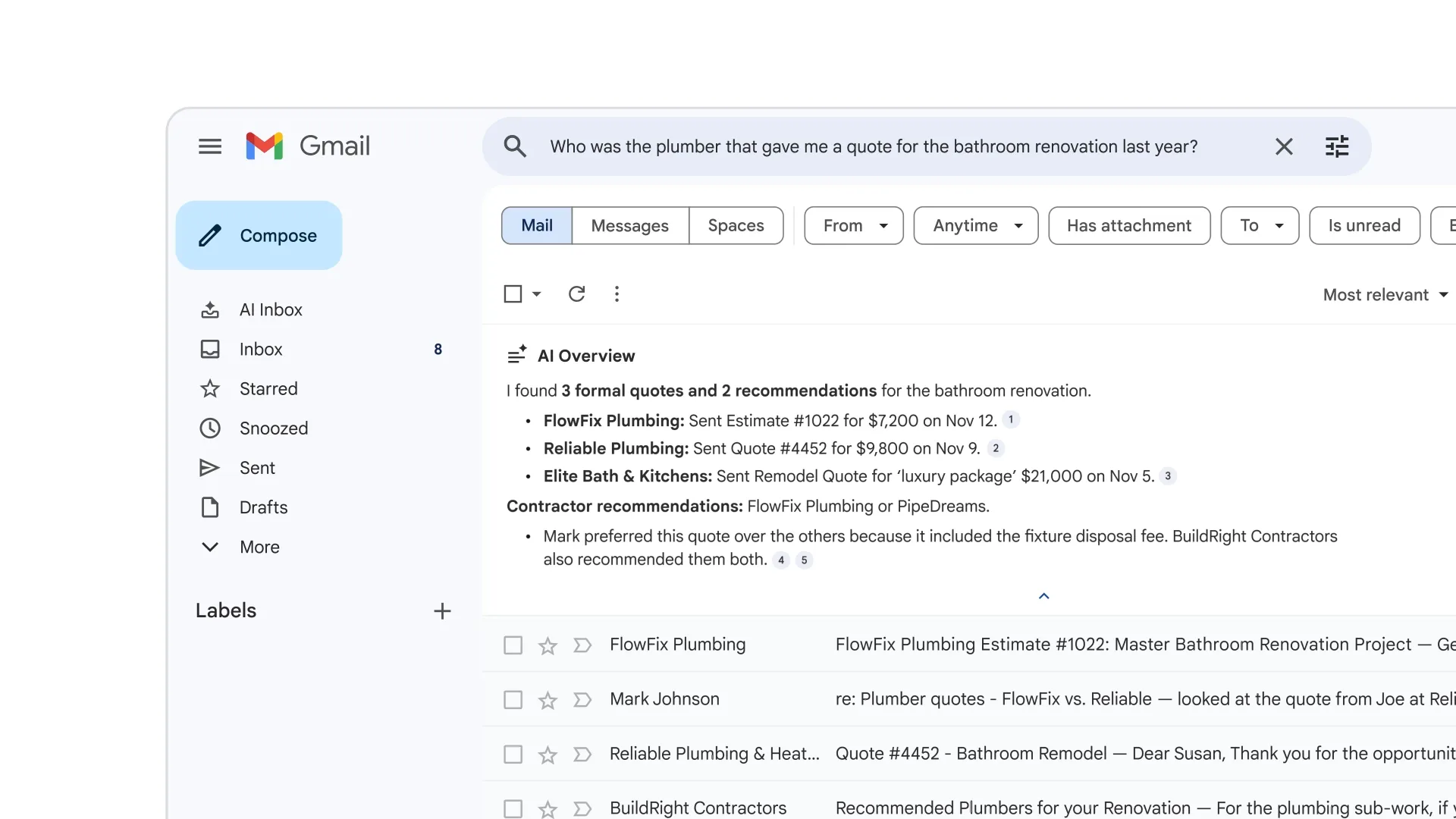
Gemini can also automatically summarize lengthy email threads, saving you from opening countless replies to grasp the essentials.
Writing emails… without actually writing
Google is pushing AI further into writing:
- Suggested Replies replace standard quick responses with contextualized suggestions that mimic your tone and style.
- Help me write is now free for all Gmail users.
- A new proofreading tool, similar to Grammarly, is reserved for Google AI Pro and Ultra subscribers.
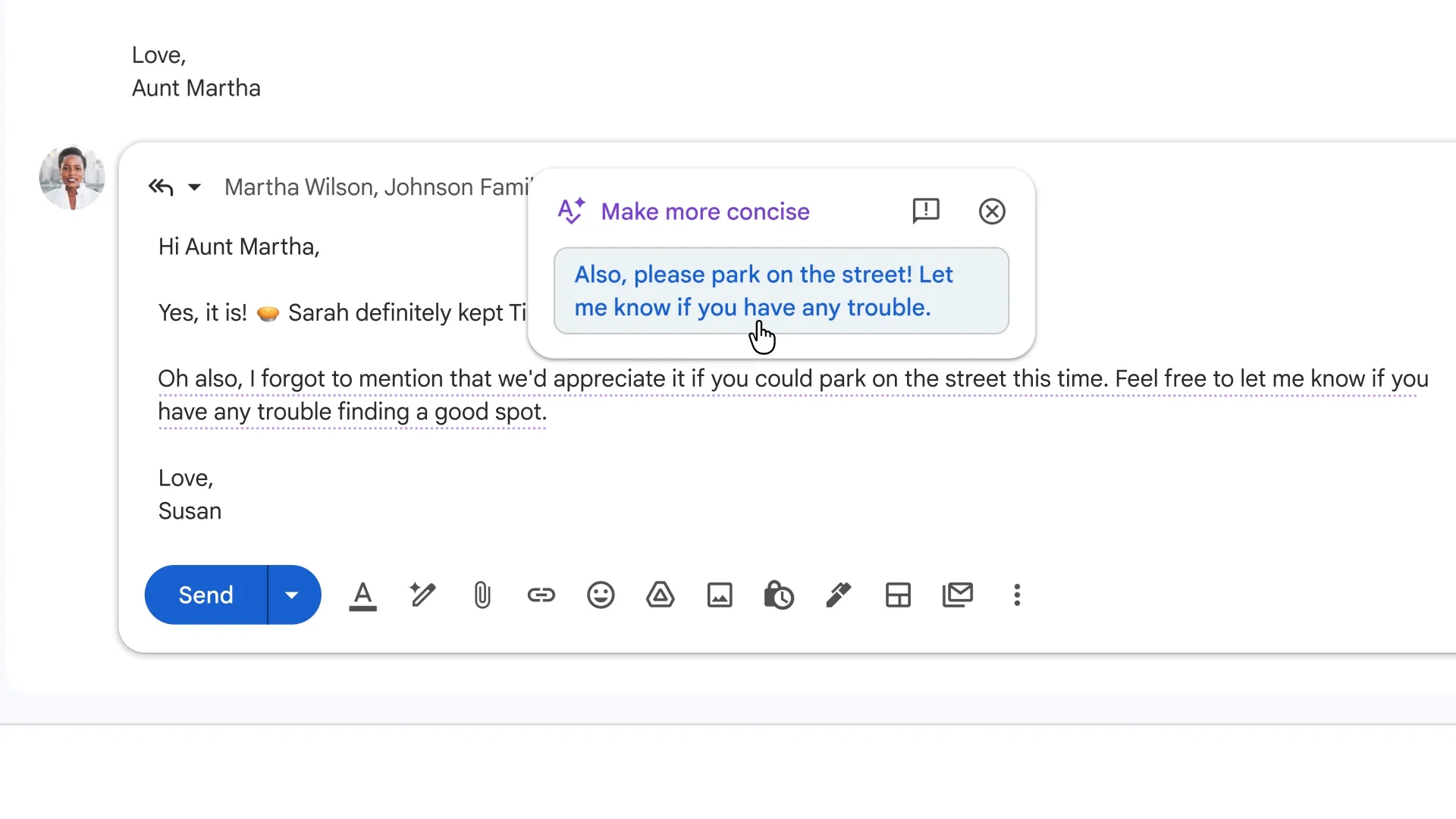
The aim is clear: to reduce the time spent crafting responses without falling into generic and impersonal messages.
AI Inbox: Gmail changes its paradigm
The most disruptive new feature is AI Inbox, an alternative view of Gmail that completely abandons the traditional email list.
Instead, suggested and urgent tasks automatically rise to the top, emails are grouped by themes, Gemini generates summaries by topic with shortcuts to relevant messages, and your key contacts are identified as “VIPs,” with their emails prioritized.
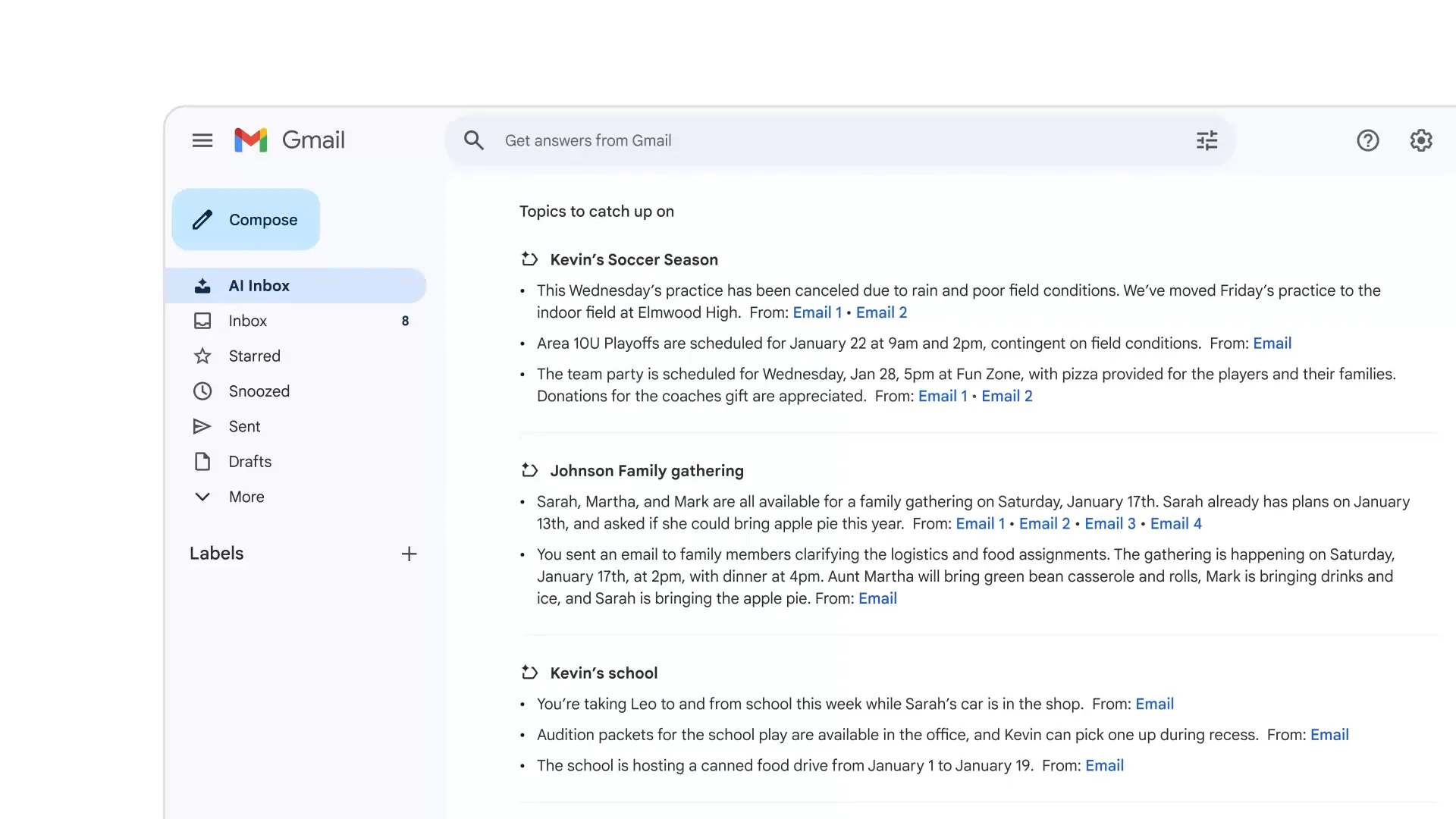
In Google’s demonstrations, the AI Inbox suggests actions like rescheduling a doctor’s appointment, responding to a coach, settling a registration fee, or following up on a family or sporting event.
This shifts the focus from email management to an intelligent orchestration of tasks stemming from the inbox.
A cautious and gradual rollout
For now, AI Inbox is reserved for “trusted testers” in the United States, accessible via web browser only for personal Gmail accounts (not yet for Workspace), and there is currently no option to mark a task as completed — a feature in development according to Blake Barnes, VP of Gmail product.
Google also recognizes an obvious risk: too many suggestions could create a new form of overload, even if the AI attempts to prioritize based on your habits.
Privacy: Google seeks to reassure users
In light of legitimate concerns, all AI features can be disabled, and Google states that the content of Gmail is not used to train the Gemini models. However, it is worth noting that disabling AI will result in the loss of certain “smart” functions, like spell check.
Gmail becomes an assistant, not just an email client
With this redesign, Google is not just modernizing Gmail; it is redefining what an inbox can be. Email ceases to be a passive stream and becomes a decision-making interface where AI sorts, summarizes, and suggests actions.
If the promise is fulfilled, the AI Inbox could prove to be an incredibly effective tool for those who live in their email. But it also raises a central question: how far are we willing to let AI interpret, prioritize, and structure our daily lives?
The email inbox was already the heart of our digital life. With Gemini, Google aims to make it the brain as well.



