

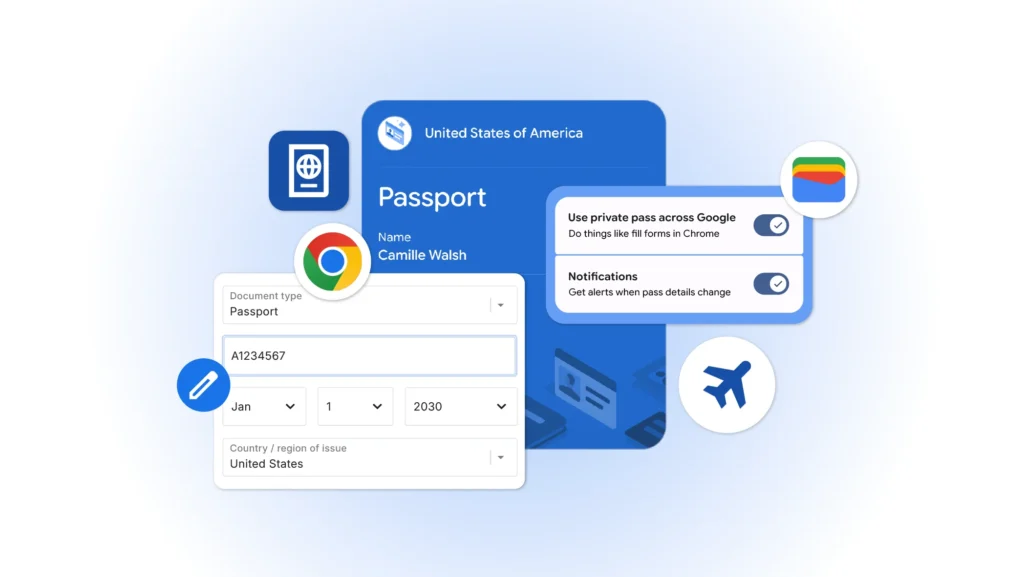
Chrome on Android and iPhone now automatically fills in passports and permits
Filling out administrative or travel forms on a smartphone is often one of the least enjoyable experiences in modern digital life. Passport numbers, license plates, vehicle information, frequent traveler IDs… these are all data that are often manually copied from multiple apps or documents.
Google aims to simplify this process.
The company has announced the arrival of its advanced autofill system in Chrome on Android and iOS, a feature capable of handling much more complex information than traditional name, address, or payment card details.
After an initial launch on desktop at the end of 2025, this technology has now made its way to mobile.
Chrome Can Now Fill Out the Most Complex Forms
With this new evolution, Chrome is able to automatically insert frequently used data for administrative or travel purposes.
Among the information now supported are:
- Passport numbers.
- License plates.
- Vehicle identification numbers (VIN).
- Driver’s license information.
- Known Traveler Numbers.
Previously, these fields usually required manual input. Google hopes to reduce this friction and transform Chrome into an assistant capable of managing all the personal information needed for daily online navigation.
Google Wallet Becomes the Central Hub for Digital Identity
This new feature heavily relies on the Google Wallet ecosystem. The app, initially designed for payments, is gradually evolving into a true digital identity management platform. Chrome can now directly retrieve certain information stored in Wallet to automatically fill compatible forms.
If a piece of data isn’t already stored, the browser can prompt the user to save it during the first input. This integration further strengthens the central role Google aims to assign to Wallet within its ecosystem.
This Evolution Also Benefits iPhone Users
Interestingly, this feature isn’t limited to Android users. iPhone users can also take advantage of this advanced autofill as long as they use Chrome. This creates a notable difference from Apple’s ecosystem.
While Apple Wallet already allows storing certain forms of identification and Safari supports the autofill of basic data, Apple’s strategy generally remains more conservative regarding sensitive documents.
Google is taking a more ambitious approach by integrating this information directly into the browsing experience.
A Time-Saving Feature Especially Useful for Travelers
The usefulness of this feature varies depending on usage. For many users, it may pass largely unnoticed. However, frequent travelers or individuals who often need to fill out administrative forms should quickly find concrete advantages.
The most obvious use cases include:
- Travel reservations.
- Check-in procedures.
- Car rentals.
- Customs formalities.
- Online government services.
These are all situations where repeating the same information can become cumbersome on a mobile screen.
Security: Google Emphasizes User Consent
Given the sensitivity of the data involved, security is naturally a key consideration. Google emphasizes several points. The advanced autofill operates based on explicit user consent. Chrome requires validation before saving a document, using the data, and automatically filling out a form.
The stored information is also protected by the encryption already employed within Google’s ecosystem.
Users retain the ability to view, modify, or delete stored information through the settings in Chrome and Google Wallet.
A New Step in the Transformation of Google Wallet
This announcement fits into a broader strategy revealed during the Google I/O 2026 conference. For several years, Google has been working to evolve Wallet well beyond a simple digital wallet.
The app now centralizes credit cards, transit passes, loyalty cards, digital identifications, and travel documents. The integration with Chrome represents a logical step in this evolution.
Google aims to gradually reduce the number of actions required between the user and their personal information.
The Browser Becomes a Personal Assistant
Behind this new feature lies a deeper transformation of the web browser’s role. For a long time, Chrome served merely as a gateway to the Internet. Now, Google intends to turn it into a true personal assistant capable of understanding the context of a form, identifying the necessary information, and providing it instantly.
This evolution perfectly illustrates the current trend in the tech sector: minimizing digital friction through intelligent automation.
At first glance, autofilling a passport number or driver’s license may seem trivial. Yet, these are precisely the micro-frictions that shape the everyday user experience.
By extending this feature to smartphones, Google brings Chrome closer to a role as a universal digital assistant capable of managing not only browsing but also a part of our digital identity.
A subtle advancement, but one that could quickly become indispensable once adopted.



