


Brave adds ‘Containers’: a highly anticipated feature for managing multiple accounts at the same time
The browser Brave continues to enhance its features with the introduction of Containers, a particularly eagerly awaited addition for users. Available from Brave 1.92 on Windows, macOS, and Linux, this feature allows users to isolate multiple browsing sessions directly within the browser.
In practice, it becomes possible to use multiple accounts on the same site without needing to open a private browsing window or a second browser.
An Ideal Solution for Managing Multiple Accounts
Containers create completely independent browsing spaces. Each container has its own cookies, local storage, and login session. Information is not shared with other open containers in the browser.
This functionality caters to numerous everyday use cases.
For instance, a user can stay simultaneously logged into two X (Twitter) accounts, Facebook, or Instagram in different tabs without needing to log out of one to access the other.
By popular request: Brave now has Containers!
In Brave for desktop, you can now separate your browsing sessions with a couple of clicks.
Here’s what this means… pic.twitter.com/GSWQb8QoUL
— Brave (@brave) July 2, 2026
Developers can also test their applications with different user profiles simultaneously, while professionals can easily keep their personal and work Google accounts separate.
Another interesting use case: browsing YouTube with a personal account without having the recommendations influenced by the work-associated Google account.
A Feature Designed for Comfort
However, Brave emphasizes that this new feature should not be seen as a new privacy protection per se. The browser already includes a storage partitioning system that isolates website data to limit tracking across different domains.
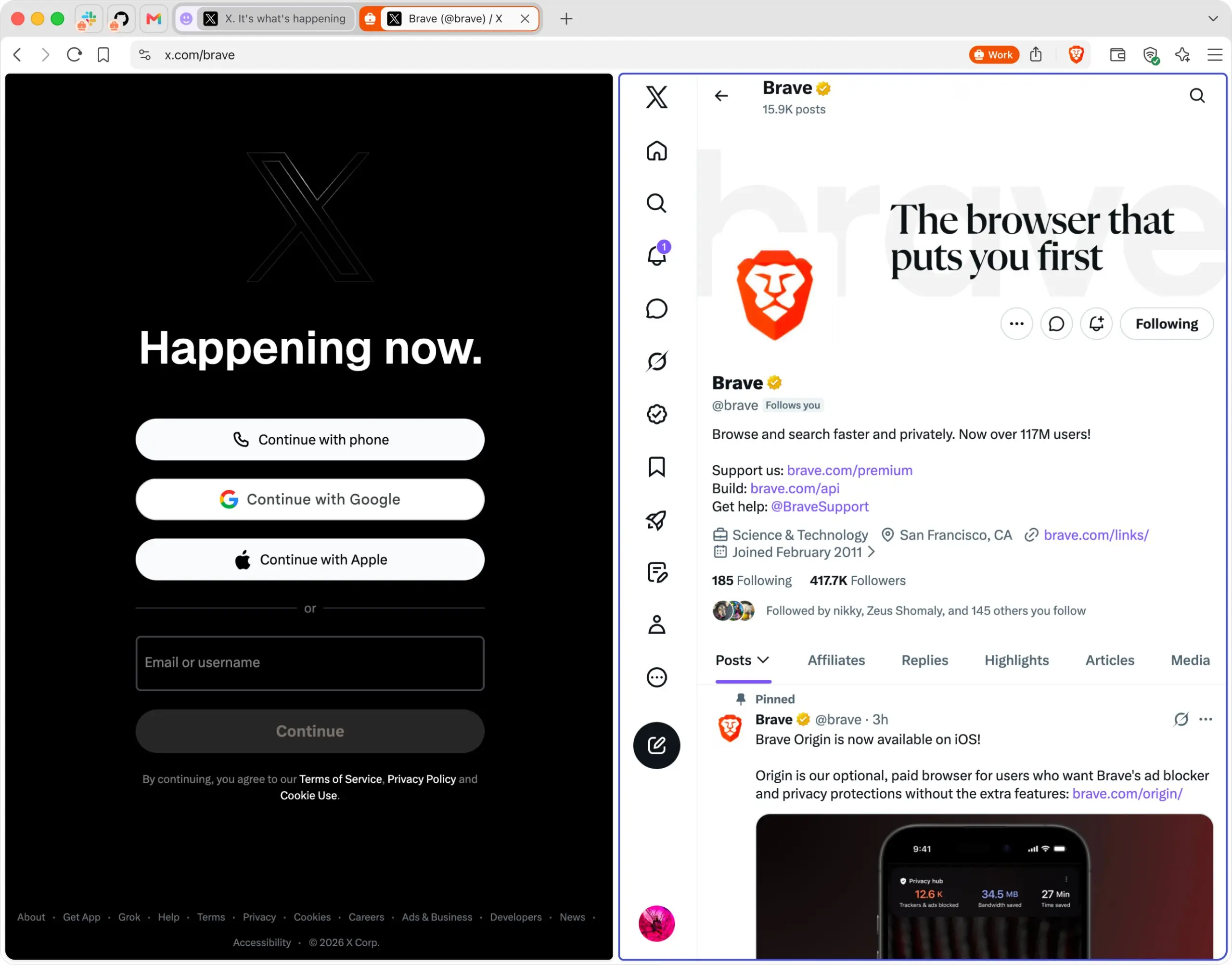
Containers complement this approach by providing more control over how a single site identifies the user across different open tabs.
This tool is primarily aimed at improving organization and workflow.
How to Use Containers?
Once the feature is enabled in Brave’s settings, using it is straightforward. Simply right-click on a tab, select “Open in a container,” and choose the desired space.
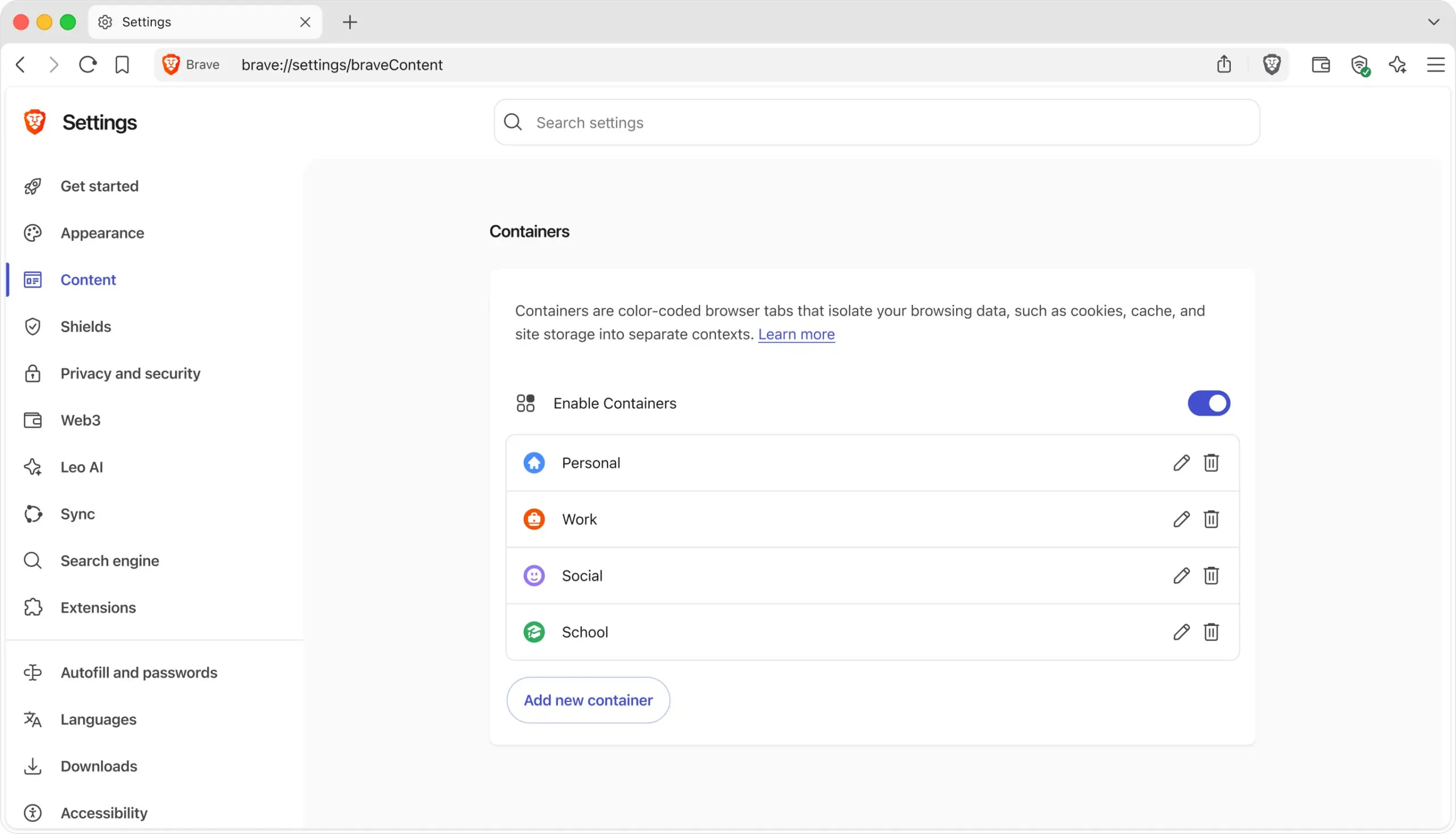
Each container then maintains its own login session, independent of others. Users can create various dedicated spaces, such as: Work, Personal, Development, Social Media, and Testing.
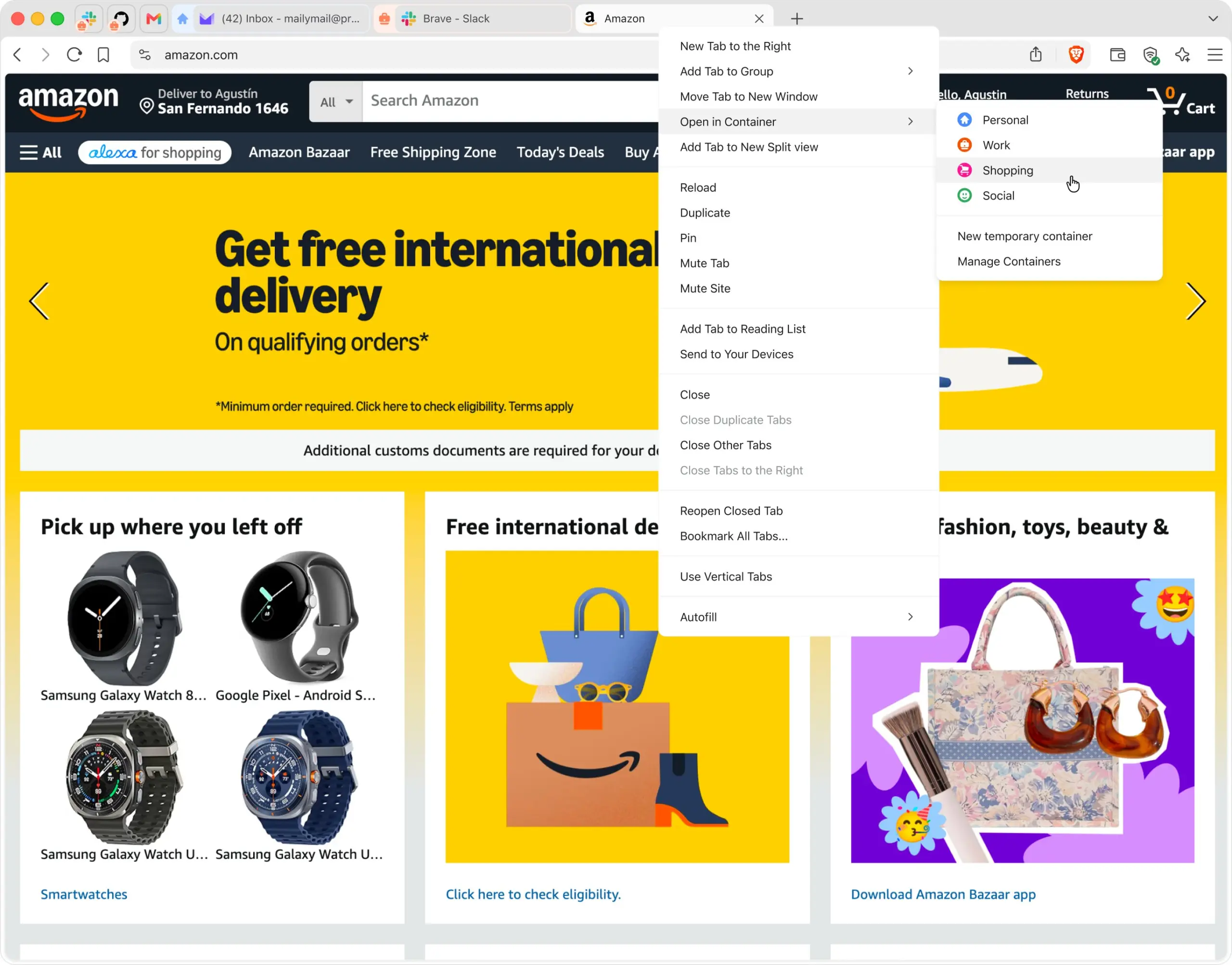
This organization allows for quick switching between environments without disrupting existing sessions.
Firefox Already Offered This Feature
Firefox users are already familiar with this concept. Mozilla has provided Multi-Account Containers for several years via a very popular official extension.
Several Firefox-derived browsers, such as LibreWolf, Floorp, and Zen Browser, also offer similar container management.
An Important First for a Chromium-Based Browser
The arrival of Containers in Brave is especially significant. Until now, users who wanted this feature typically had to turn to Firefox or a browser based on its engine.
Brave is thus becoming one of the first Chromium-based browsers to incorporate true native container management.
This evolution is likely to attract many users who appreciate Chromium’s compatibility—especially with web applications optimized for Chrome—while seeking better separation between their various online activities.
With this new feature, Brave continues to strengthen its position as a privacy- and productivity-focused browser, meeting a long-standing demand from its community.



