

A fake Perplexity AI extension was spying on Chrome users: delete it immediately
Browser extensions have become essential for many internet users, adding new features to Chrome with just a few clicks. However, some conceal far less innocent behaviors.
Cybersecurity researchers from Microsoft recently uncovered a malicious Chrome extension masquerading as Perplexity AI, the well-known AI-powered search engine. Its true goal was not to enhance your browsing experience, but to monitor your searches and redirect your traffic to servers controlled by cybercriminals.
An Extension Imitating Perplexity AI
The extension, named “Search for perplexity ai,” was available directly on the Chrome Web Store, giving it a completely legitimate appearance. According to an analysis published by Microsoft Threat Intelligence on June 30, this extension requested particularly intrusive permissions that far exceeded the needs of a simple search tool.
Shortly after the report was published, Google removed the extension from its official store. However, if you have already installed it, it remains on your computer until you manually delete it.
All Your Searches Were Intercepted
The operation of this extension was particularly discreet. Utilizing the chrome_settings_overrides permission, it automatically changed the default search engine in Chrome.
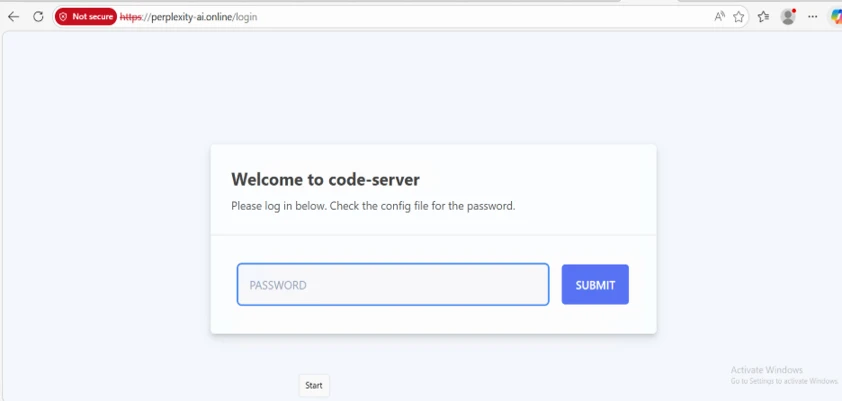
Thus, every search made from the address bar first passed through the fraudulent domain: perplexity-ai.online. It was only after this step that the request was redirected to a legitimate search engine, leaving the user under the impression that everything was functioning normally.
This technique allowed attackers to collect all search queries made by the victims.
Real-Time Tracking of Your Activity
The extension also exploited the declarativeNetRequest permission, allowing it to intercept and modify certain network requests. With this mechanism, it could record user searches, observe real-time search suggestions while typing, and gradually build a very detailed profile of the victims’ interests and browsing habits.
Microsoft notes that there is no evidence that the extension stole passwords or authentication information. However, the collected data was sufficient to establish a detailed history of the user’s online activities.
How to Check if You Are Affected
If you have recently installed an extension related to Perplexity AI, it is advisable to immediately check for its presence.
To do this:
- Open Chrome and go to chrome://extensions/
- Enable Developer Mode located at the top right
- Look for an extension with the ID:
flkebkiofojicogddingbdmcmkpbplcd - If it is present, click Remove immediately.
It’s also recommended to check that your default search engine has not been changed without your knowledge.
Always Verify the Real Perplexity Site
Microsoft also emphasizes an essential rule: before installing an extension, always take the time to verify the developer and the associated official site. In this case, the genuine Perplexity AI service is only available at: https://perplexity.ai.
The domain used by the fraudulent extension (perplexity-ai.online) purposely imitated the official name to deceive users.
The Chrome Web Store is Not Faultless
This incident once again demonstrates that the checks carried out on the Chrome Web Store are not always sufficient to prevent the distribution of malicious extensions. Cybercriminals exploit the growing popularity of AI tools to create fake extensions that mimic well-known services like Perplexity, ChatGPT, and Gemini.
To mitigate risks, Microsoft recommends regularly cleaning up installed extensions, removing those no longer in use, and being wary of extensions requesting excessive permissions.
At a time when AI tools are increasingly popular, spending a few seconds to verify a developer or domain name can save you from compromising your entire browsing experience.



