

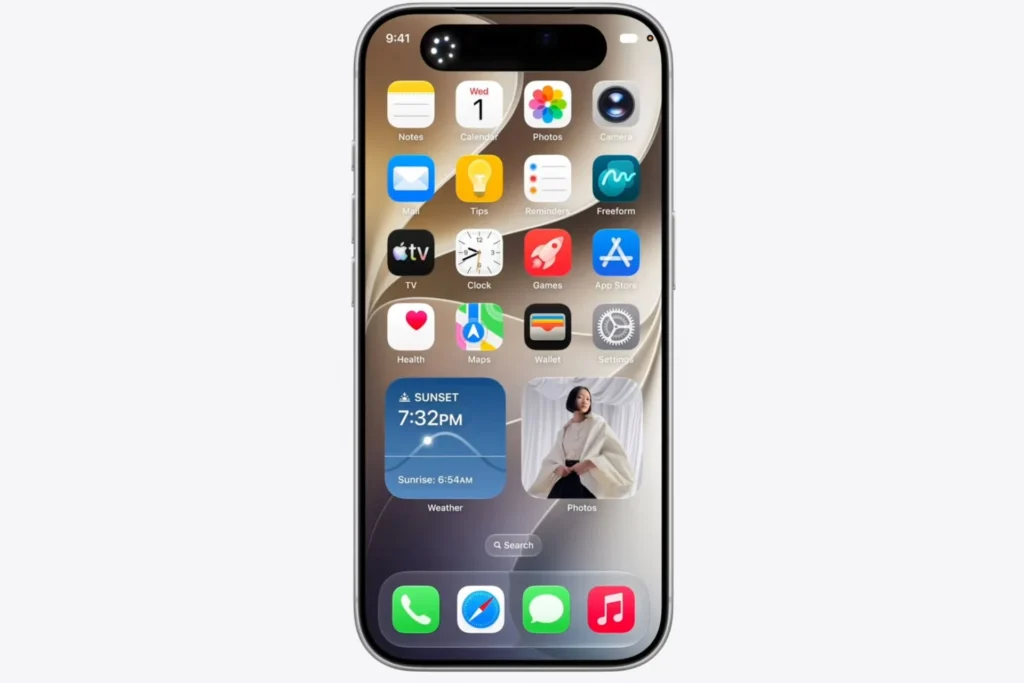
iOS 27: How to install the public beta and discover the new features today
Apple has now opened the doors to iOS 27 for a much wider audience. After several weeks reserved for developers, the first public beta of iOS 27 is available, offering a preview of the upcoming major features for iPhone, starting with the new AI-powered Siri (though not yet rolled out in Europe).
If your iPhone is compatible, you can test iOS 27 right now. Here’s how to proceed… and the precautions to take before making the leap.
How to install the public beta of iOS 27?

Installation does not require a paid developer account. The first step is to join the free Apple Beta Software Program. Once you have registered, follow these steps on your iPhone:
- Open Settings.
- Go to General > Software Update.
- Select Beta Updates.
- Choose iOS 27 Public Beta.
- Return to the previous screen to start the download once it appears.
Users already enrolled in the developer program will also see this public version appear among the various betas available. If the option takes time to show up, a simple restart of the iPhone usually suffices to prompt synchronization.
An essential precaution before installation
Even though this version is more stable than the earlier developer betas, it is important to remember that this is still developing software. Before installation, Apple recommends — and it is strongly advised — to perform a complete backup of your iPhone.
It is also advisable to avoid installing this beta on a device used daily for work or critical tasks. Bugs, reduced battery life, or incompatibilities with certain applications may still occur.
Siri AI is the standout feature of iOS 27

The primary evolution in iOS 27 concerns Siri. Apple has transformed its voice assistant into a true conversational agent powered by artificial intelligence. The new Siri now has its own application, understands the content displayed on the screen, and can interact directly with multiple applications to perform complex tasks without needing multiple commands.
The goal is clear: bring Siri closer to solutions like ChatGPT or Gemini while maintaining native integration within the Apple ecosystem.
Photos, Safari, and Shortcuts also gain intelligence
AI enhancements are not limited to Siri. The Photos app receives new tools that can automatically remove unwanted elements, extend an image, or intelligently crop a photo.
Meanwhile, Safari has become capable of automatically organizing tabs according to the topics discussed, making it easier to manage multiple open pages.
The Shortcuts app is also evolving. Automations can now be created using natural language, without going through the traditional block editor, making this feature much more accessible.
Performance improvements
Apple also announces several performance optimizations. According to the brand, AirDrop is now up to 80% faster, and opening new photos in the Photos app can be up to 70% quicker. These enhancements complement the many fluidity optimizations already observed in previous development versions.
A more stable beta, but still evolving
The first public beta captures the essence of the new features from the third developer beta released a few days earlier while fixing several bugs and stability issues. It is currently the best way to explore the new features of iOS 27 before its official launch scheduled for this fall.
However, the coming weeks will allow Apple to further refine its system, with several additional beta updates before the final version.



